

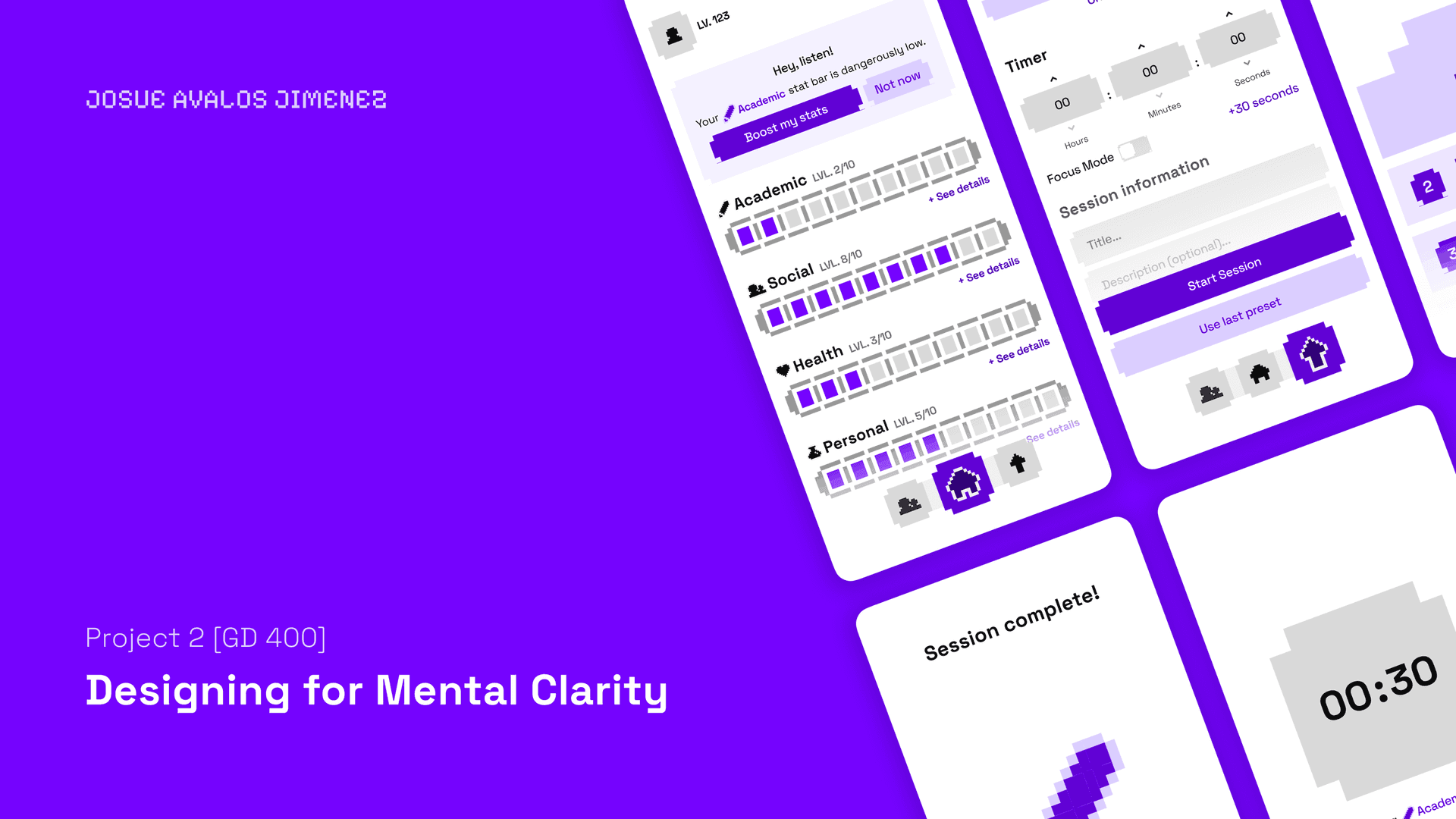
StatBar
Mobile App + Design System
Fall 2025 to 2026
Josué Avalos Jiménez (kelpbro)
Overview
StatBar turns looking after yourself into an RPG. Five stats and a focus session. Finish one and the stat you spent it on goes up a level.
That is the version that works. The first version, built solo in two weeks for a studio class, ranked you against your friends and called your own life dangerously low. The brief had asked for a tool that reduces mental clutter without adding to it.
A year later I audited it against its own research, rebuilt it as a real SwiftUI app, then ported that app to the web accurately enough to diff against screenshots of it.
P.S. Yes, my username is Kelpbro.
01 · What shipped in 2025, in its own words
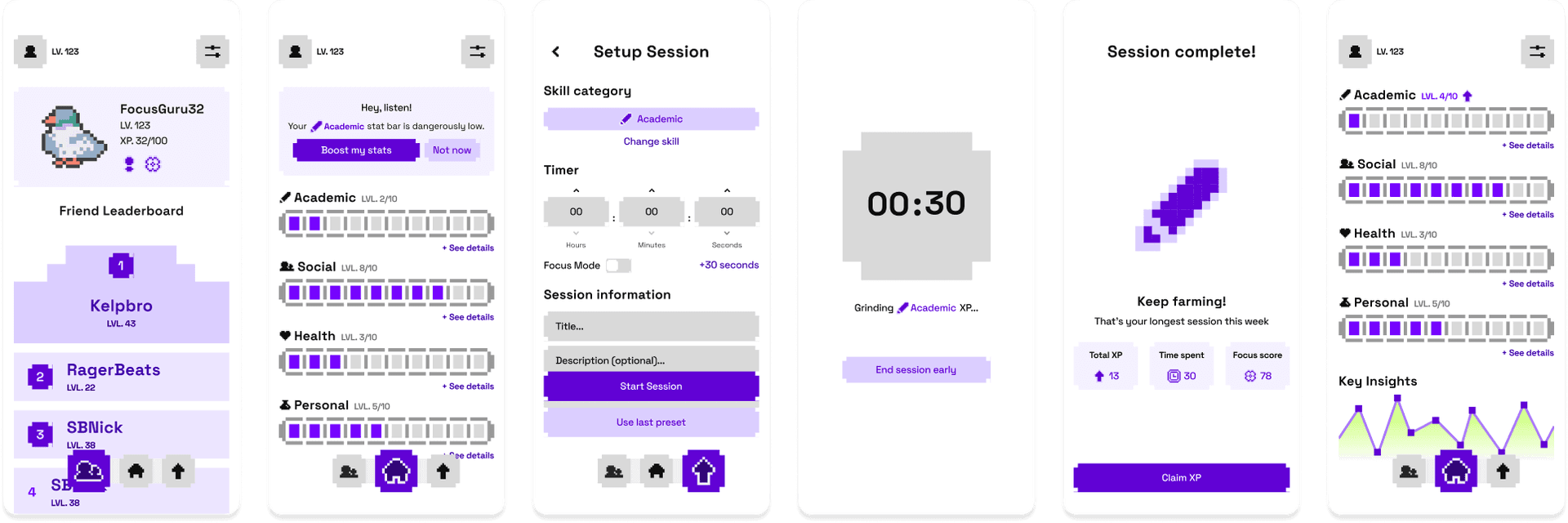
The copy is the argument, so it goes first and unedited. The dashboard opened on a nudge card.
"Hey, listen!" is Navi's line from Ocarina of Time. The buttons are "Boost my stats" and "Not now", so the only way out is to admit you are choosing not to.
"Dangerously low" is the real damage: a status effect from a game, applied to somebody's health, on a screen they open every day.
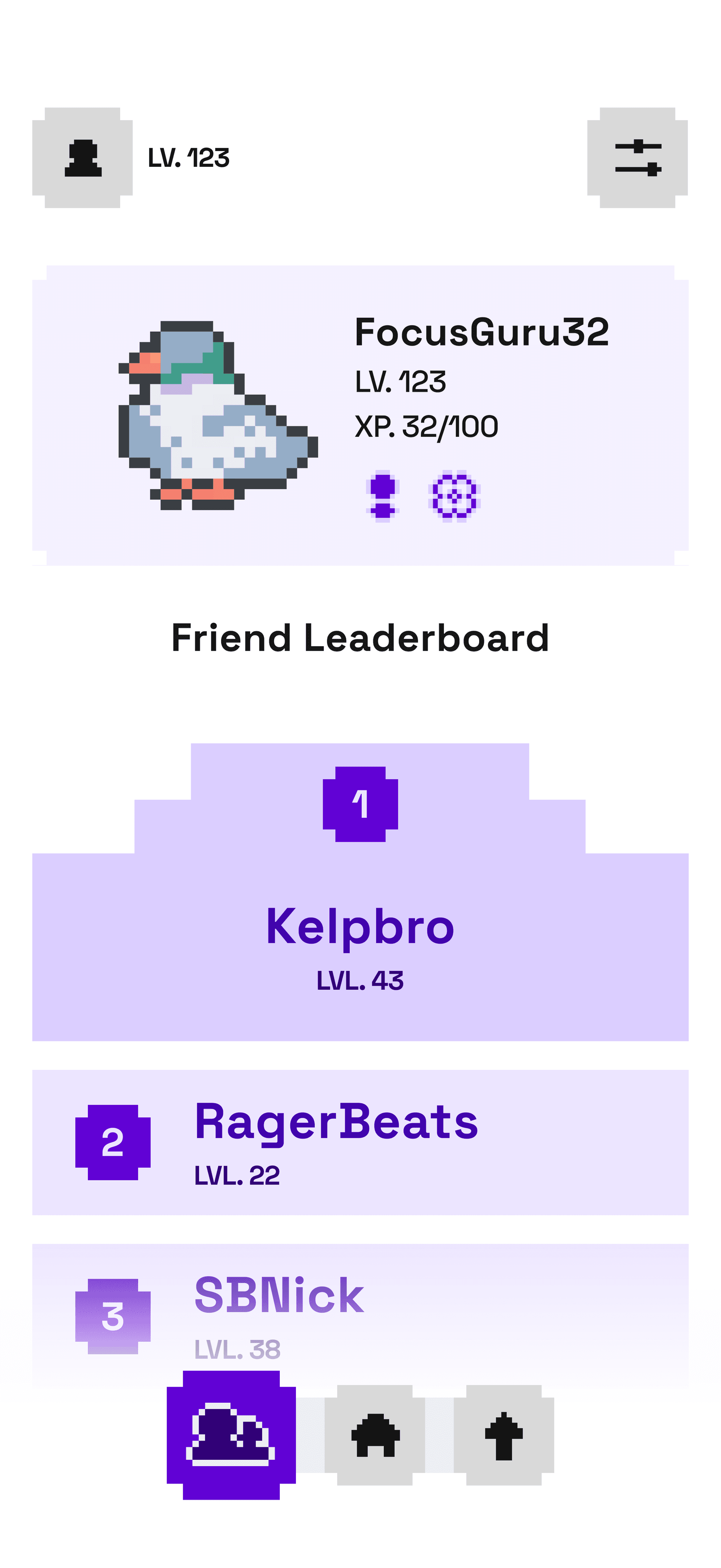
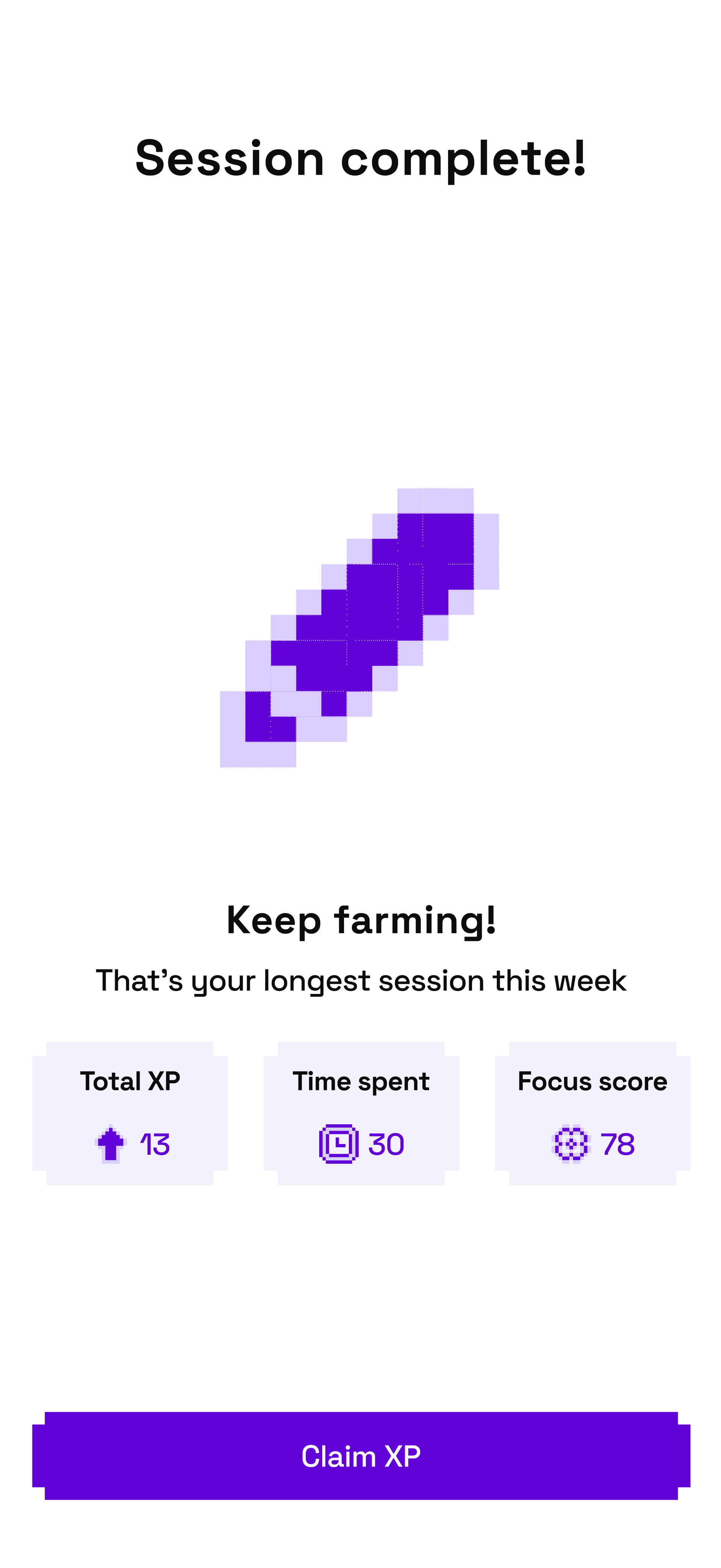
A leaderboard sorts people by how much of their life they logged. The reward screen closes the loop: "Keep farming!", then Total XP 13, Time spent 30, Focus score 78.
A focus score. The app graded how well you paid attention, out of a hundred, from a timer that only knew whether the screen was on.
02 · The research it argued with
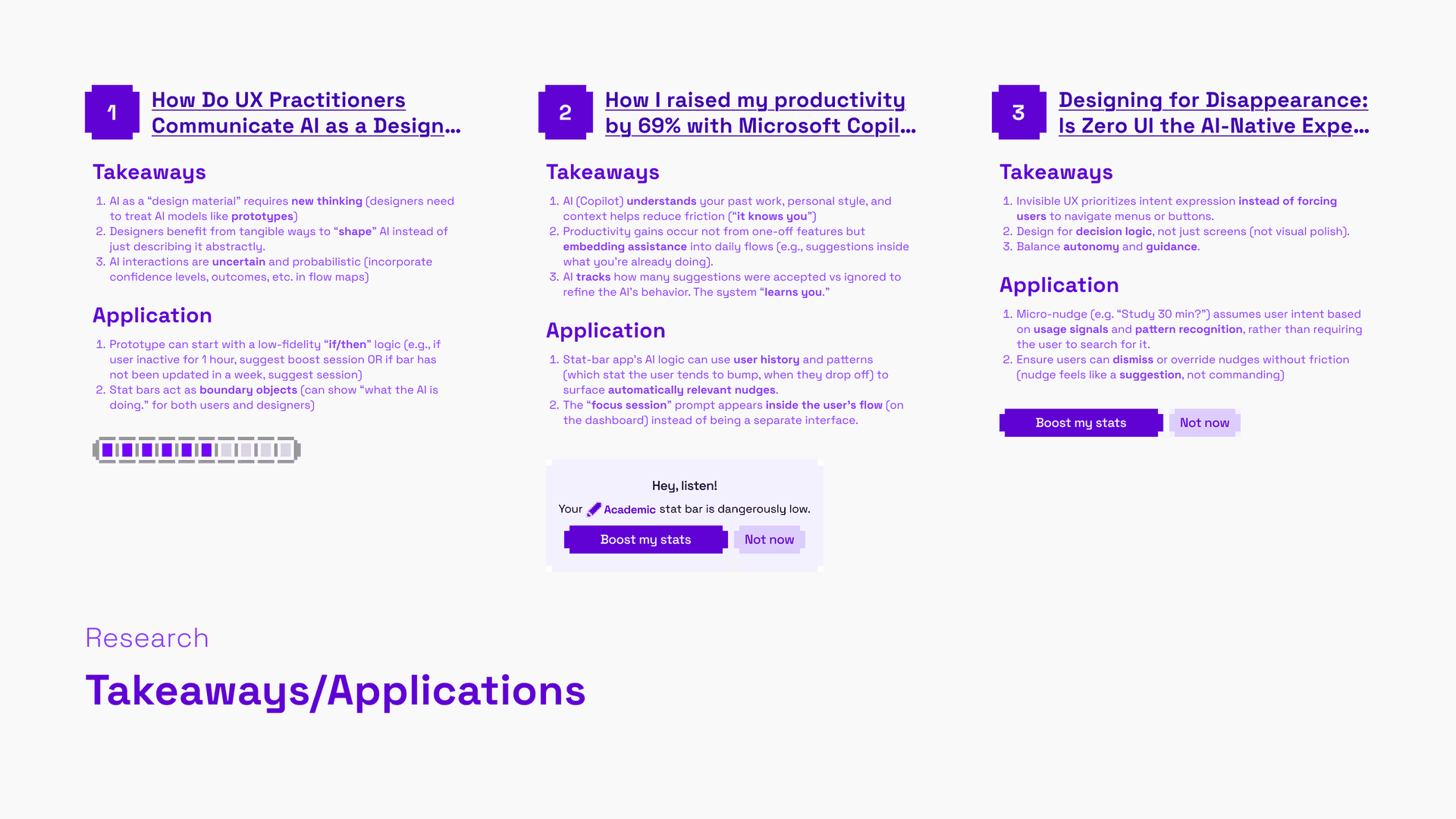
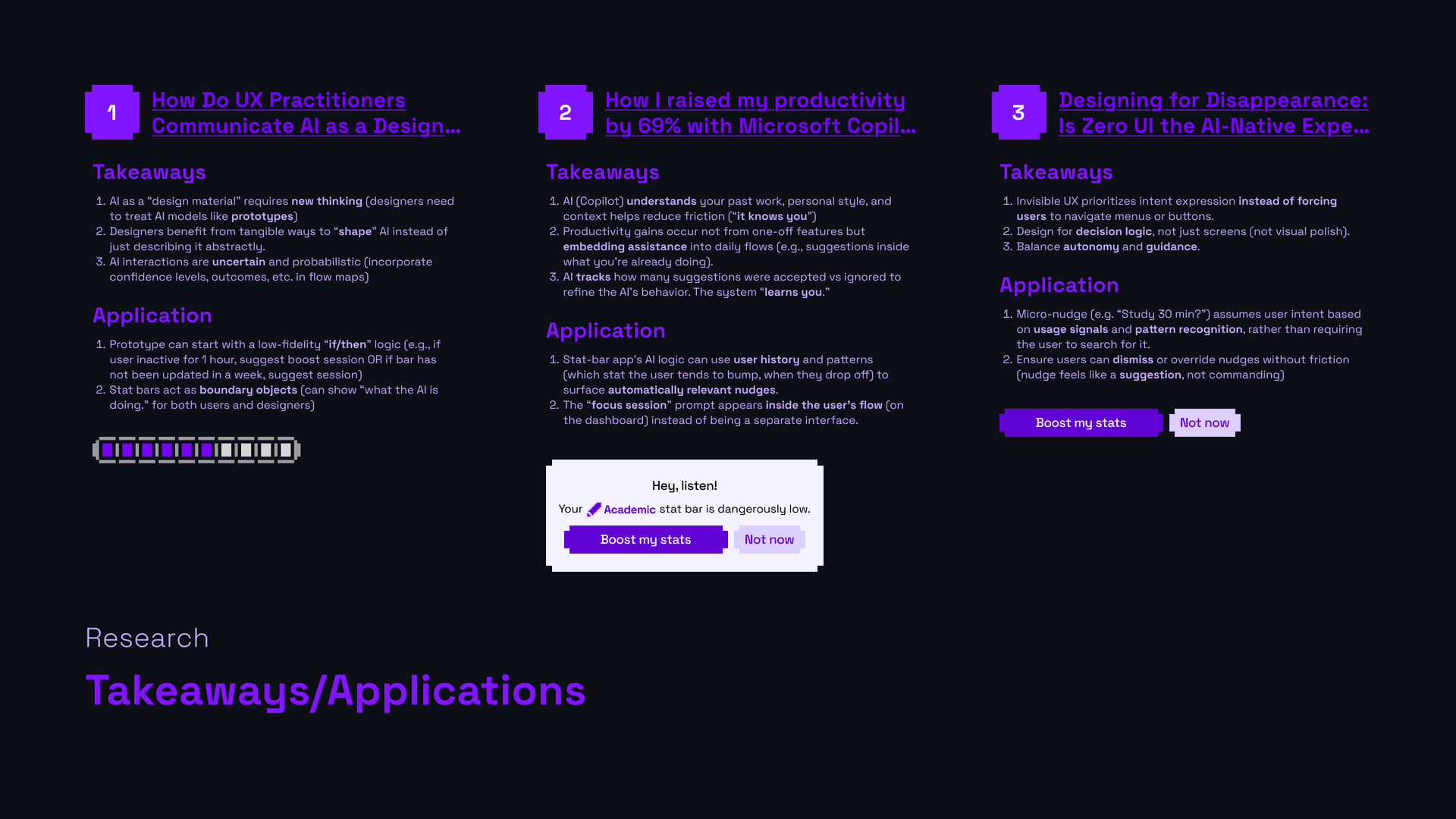
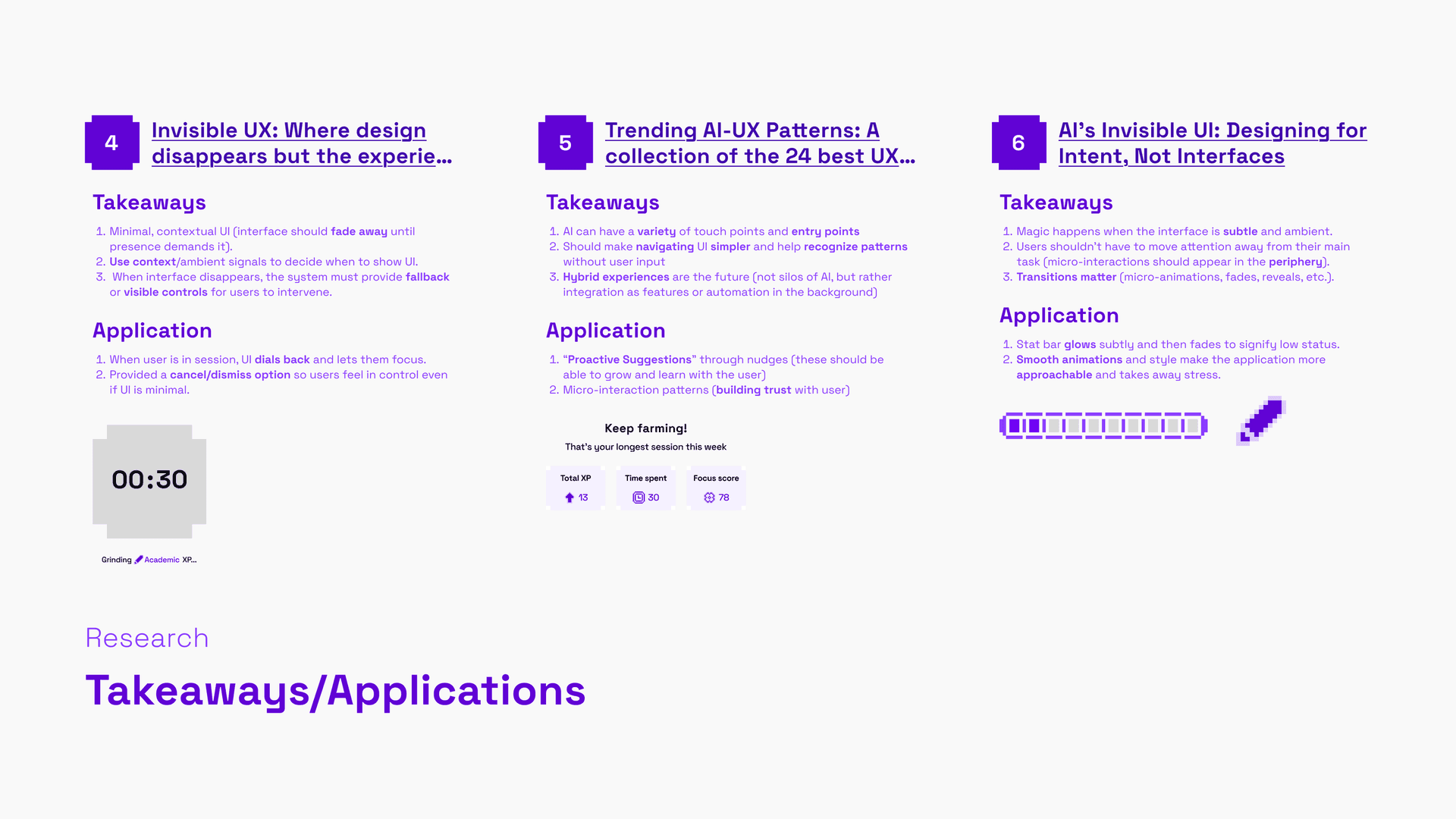
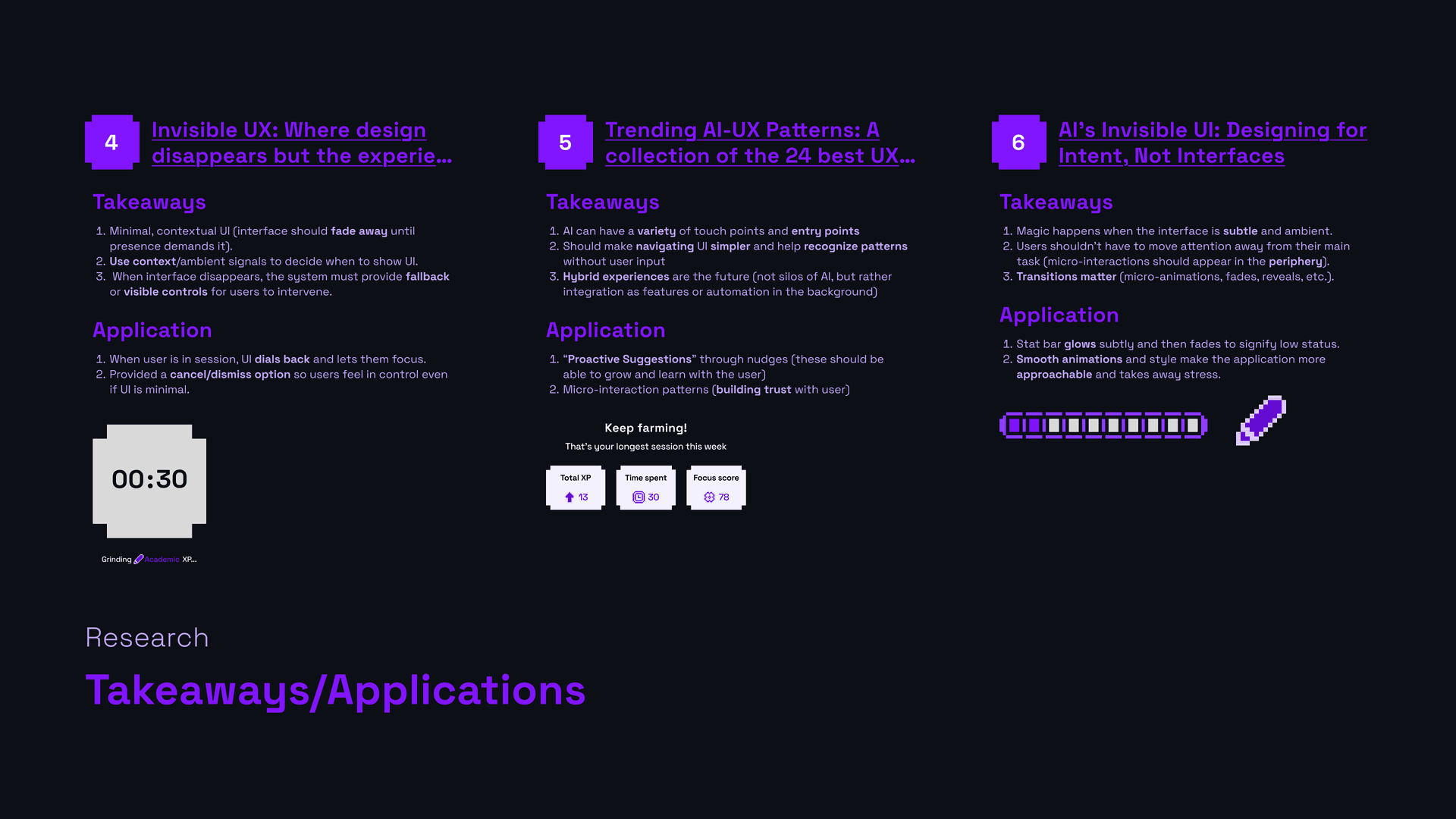
The research came first, and it said the opposite. Six articles on invisible UX and AI-native patterns, plus a read of Headspace, Calm, Oura and Apple Health. A nudge should sit inside a flow. A system should suggest, not command. Progress framing beats data framing.
I shipped an interruption, phrased as a command, resolving to three raw numbers.
03 · The law that replaced it
The audit produced four rules. They live in the app's repo, and every feature gets checked against them.
No decay. A bar never goes down. An app that punishes you for a bad week is an app you delete during a bad week.
No shame copy. Nothing describes a person, or part of one, as low, behind or at risk.
No ranks, no leaderboards. Nobody is sorted against anybody.
Levelling stays numeric. A finished session is worth one level, never scaled by length. The floor is five minutes: at one minute a stat goes empty to 10/10 in ten, and the bar stops meaning anything.
They have deleted real work since. The leaderboard, a week grid, and an XP counter I rebuilt without noticing it was the exact mechanic rule one forbids.
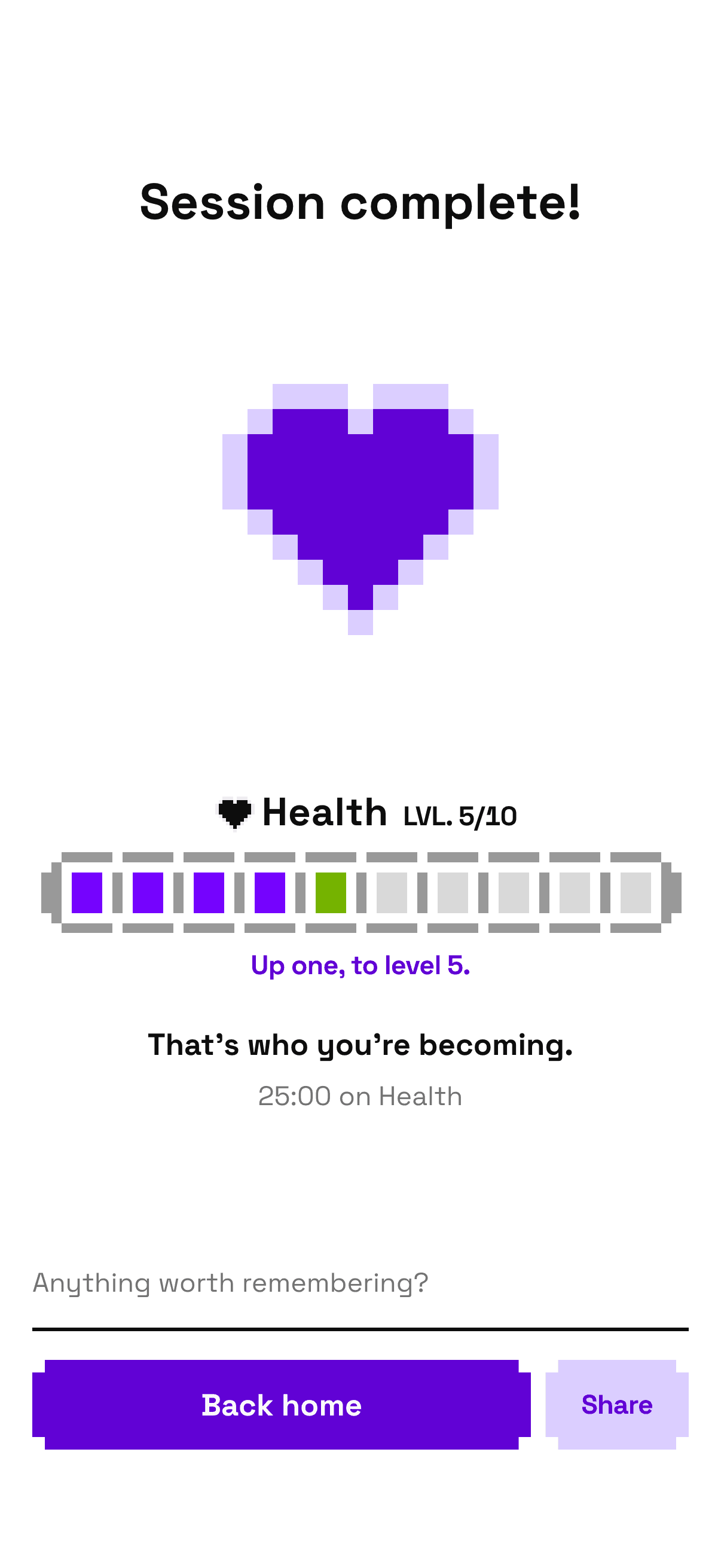
The same moment as "Keep farming!", four rules later. No score, no XP, no claim button. The bar moves one cell and the screen names the stat and the level.
That figure is the running app and not a picture of it, which is why the heart is beating. It is the only thing on it you can do: a screen addressed directly has nowhere to send you, so this one is here to be watched. The whole app is further down.
04 · The app, running
The real thing, ported from the SwiftUI source and running here. Start a session, open Friends, switch it to dark. The lists inside pull with a mouse, the way they would with a thumb.
The controls beside the phone belong to this page, not the app. A session inside the phone is a real timer, because that is the product. Skipping is something a demo needs, so it lives out here.
The nudge kept its greeting. It still opens "Hey, listen!", and then tells you your Personal side is ready when you are.
05 · The system outlived the concept that commissioned it
The system is the part the audit left alone, and the part that then had to move.
Main · Poison
- 50#F4F1FF
- 100#ECE5FF
- 200#DBCEFF
- 300#C1A6FF
- 400#A574FF
- 500#8B3CFF
- 600#8115FF
- 700#7503FE
- 800#6102D5
- 900#4104AD
- 950#310077
Complementary · Acid
- 50#F7FFE5
- 100#ECFFC7
- 200#D8FF90
- 300#BFFF4D
- 400#A6FF1A
- 500#8CD900
- 600#75B300
- 700#5C8C00
- 800#466600
- 900#334400
- 950#1A2200
Neutrals
- 50#FFFFFF
- 100#F9F9F9
- 200#F0F0F0
- 300#D9D9D9
- 400#BFBFBF
- 500#999999
- 600#737373
- 700#4D4D4D
- 800#262626
- 900#0D0D0D
- 950#000000
Figma to SwiftUI is a platform change, and a system that only works in the file it was drawn in is a mood board. Icons became a generated catalogue and ramps became tokens. Nothing in dark mode was picked by eye.
The atoms were drawn once and have been running ever since. Switch this and check it yourself.
The tab bar. One purple square for the whole row, so it travels rather than blinking out here and in again there.
The stat picker. Every option is its own stepped block, which is why the open list’s edge alternates.
The buttons. A 22pt slot is reserved for a leading glyph, so the label starts in the same place with or without one.
Appearance, the app’s own setting. System is this page, so these controls follow it until you say otherwise.
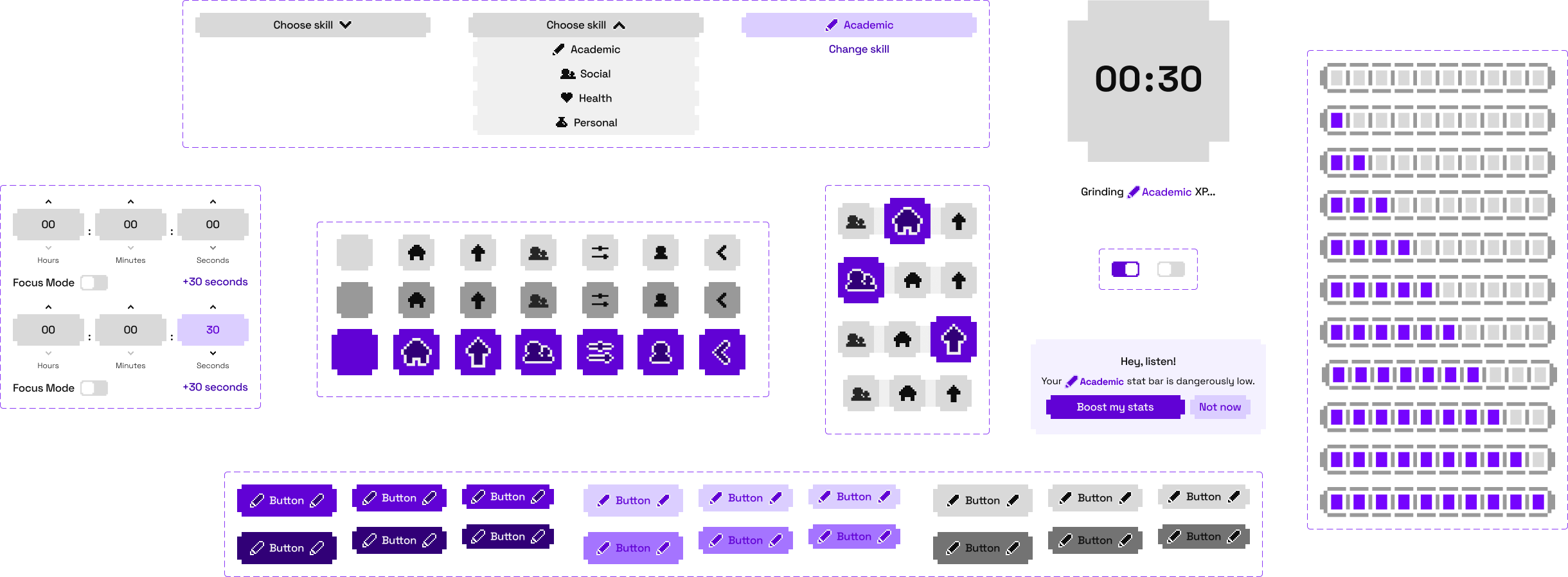
Each dark value mirrors the relationship its light counterpart has to its own ground. A filled track cell in dark is Main 300, not the Main 500 that looked obvious: light separates filled from empty by 47.1 in L*, and Main 500 manages 14.1, under the system's floor of 17.3.
The icons went the same way. They are not a picture on this page: the grid below is drawn from the cells the app ships, so redrawing a glyph in the app changes this figure too.
- arrow-up18×22
- bottle22×20
- chevron-down22×16
- chevron-left16×22
- chevron-right16×22
- chevron-up22×16
- clock22×22
- energy18×22
- exclamation14×22
- flower22×22
- friends28×20
- graph22×20
- heart22×20
- home22×20
- pencil22×22
- plus20×20
- sliders24×20
- user20×20
- x22×22
- zzz20×20
- stat-bar126×16
icon layers in the set, two to a glyph. Seven of the twenty one appear on no screen in the product, and nothing had drawn them beside a correct one until this sheet existed
Finish a session and the stat you spent it on celebrates itself, in a way that belongs to that stat.
These are running, not filmed. Each is an explicit function of time in the Swift, and the page replays that same function. No cubic-bezier is a smoothstep, so the alternative was picking the closest easing and hoping.
Academic86 frames, measured off the source comp
Sociala hop, squashing as it lands
Healthlub-dub, then a rest twice as long
Personalsixteen ballistic pixels
Restthree Z’s breathing in sequence
The pencil is the odd one. It is not authored at all: it is 86 frames of the original comp, measured by the sprite's centroid and its angle, replayed onto a vector. The area varies by 0.2% across all 86, so the sprite is rigid, and for a rigid body those two numbers are not an approximation of the motion. They are the whole of it.
06 · Rebuilt for the web, and measured
The prototype above is a port of the SwiftUI app, scored by pixel against captures of the real one.
of pixels differ between the running session screen and a capture of the real iOS app
Ten screens score between 0.47% and 3.11%.
Home sat at 2.43% for a week under a note saying the rest was antialiasing and the floor for this method. A quarter of it was a line height.
Space Grotesk's metrics give a 1.276 ratio, and CoreText rounds every line box up to a whole device pixel, so a 15pt line is 19.333, not 19.14. A Friends row is 8 plus 19.333 plus 4 plus 19.333 plus 8, and the reference measures 58.67 exactly. Rows were six tenths short each. Fixing it moved every screen at once.
peak scale of the heart flourish, measured off the web port and off the real iOS app. Both agree. The Swift source says 1.22
Motion got the same treatment, generated from the app's own timing functions.
The icons, the components and the artwork are mine, drawn in Figma before any of this ran. That file is the source for everything on this page. The glyph sheet above is the app's own cells, and the app's cells came out of the Figma.
What I handed over was the carrying across. Figma to SwiftUI, then SwiftUI to the web, each port measured against captures instead of eyeballed. It generated the flourishes from the app's own timing functions, read the build back against the four rules and the brief that started it, and worked the small interactions up from what the drawings already implied. The pencil is the exception: those 86 frames are mine, animated in After Effects, and the page replays the comp rather than reauthoring it.
Which half is which matters. The drawing is mine, and so is the audit's verdict. The translation, the consistency pass and the measuring are where the machine did the work.
07 · Rest is a stat you level up
The least obvious idea in the product, and the app never says it out loud, so it gets said here.
Rest sits in a list of five things you level up, and a new person has to work out for themselves that stopping counts as building. Every other stat rewards output. Rest rewards stopping, and it is worth the same one level as anything else, because the moment it is worth less it becomes the thing you skip.
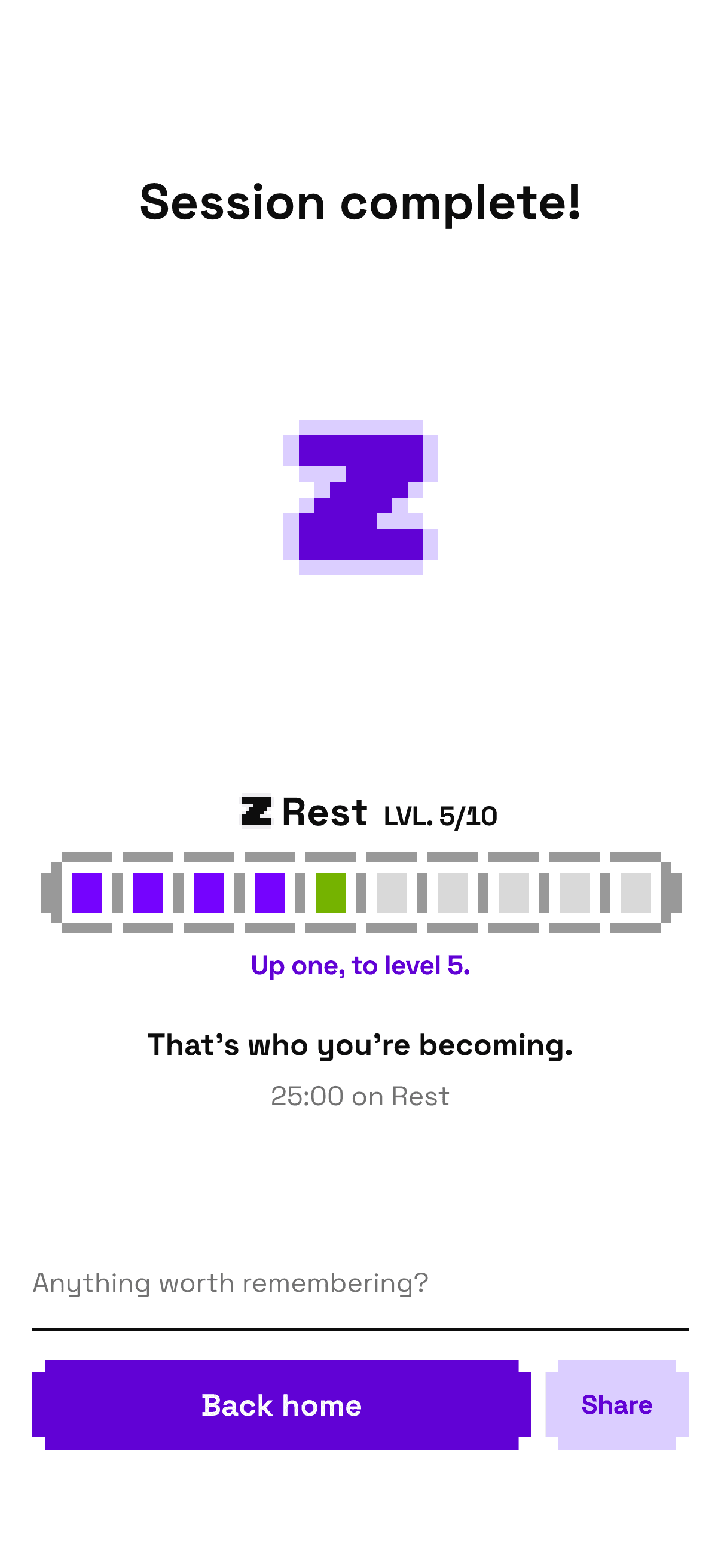
Running here too, and the only thing separating it from the screen in section three is which stat the session was spent on. Rest gets a celebration because Rest earned one.
08 · The gap I have not closed
Lock the phone mid-session and forty five seconds later the session has ended, recorded as stepped away. The thirty second grace period was built for glancing at a notification, not for putting the phone down and going to work, which is the behaviour the product exists to reward.
The app built to reward putting your phone down does not survive you putting your phone down. Closing it is architecture: a Live Activity and a local notification, and a grace rule rethought around both.
Reflection
What I would not repeat is the year of not reading my own research. "Dangerously low" was not something I missed. It was something I wrote, next to a slide saying the opposite.
Every number here started as a sentence I believed. The line height sat behind a comment I wrote saying there was nothing left to find, and the flourish I kept rejecting turned out to be fine, because the way I was looking at it was wrong. Neither would have turned up in a screenshot I approved myself.