

Mitosis Diagrams
Visual Representation in Design
2026
Overview
Mitosis is hard to hold in your head. Six stages, each one a small rearrangement of the last, and a static diagram leaves you to do the animating yourself.
So I designed one that moves. Six stages, a simple read at a glance and a detailed one underneath it, and a landing you can enter at any point rather than a sequence you have to start at the beginning of.
It began as a Figma prototype. Everything below is what happened when I rebuilt it as working code, which is where the design decisions stopped being suggestions and had to resolve to actual numbers.
01 · The layout is a clock
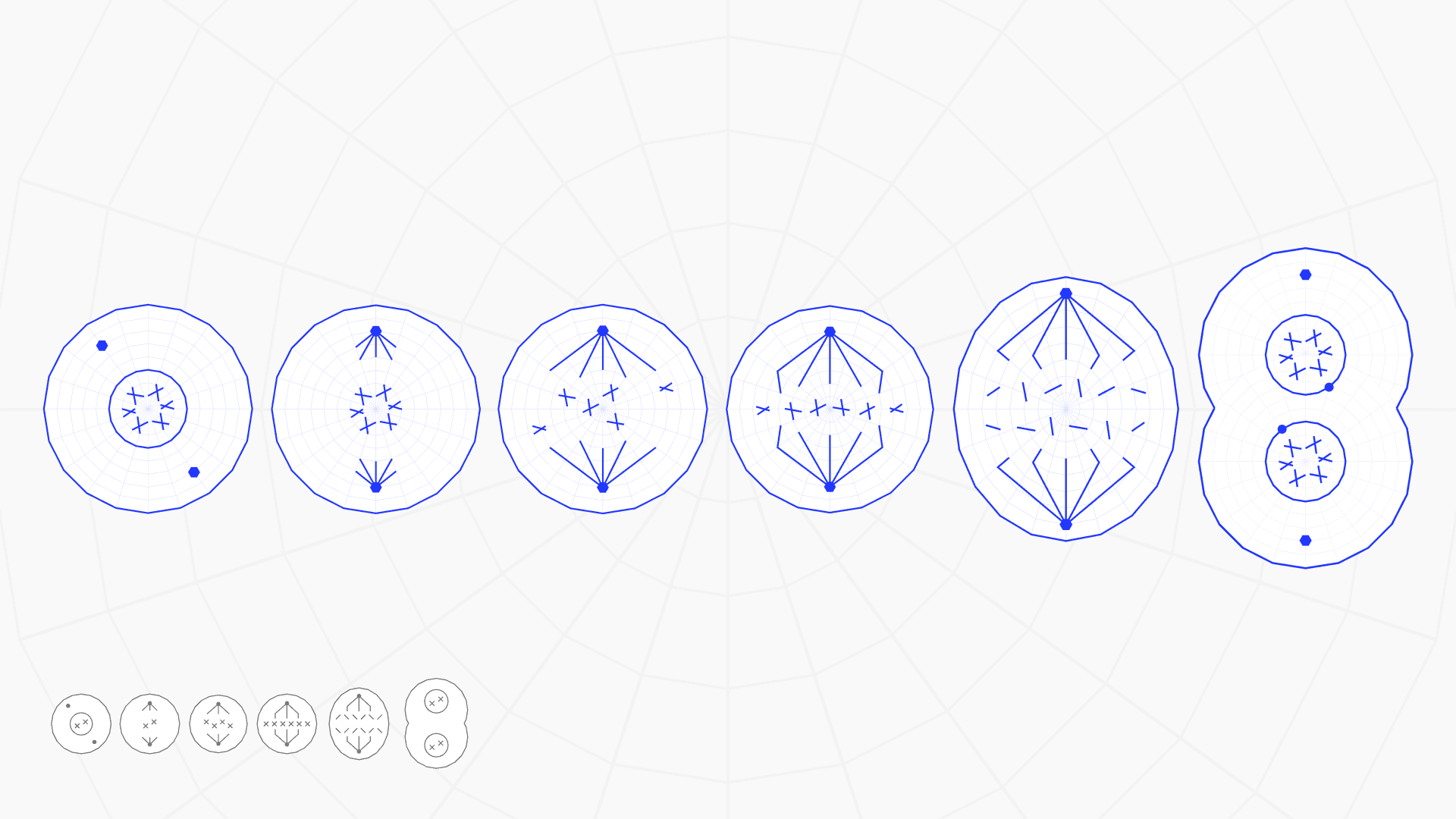
The six cells on the landing look scattered. They are not.
They sit at sixty degree intervals on a circle, in order, clockwise from twelve. Measured off the export they land at 1.3, 61.3, 121.1, 178.7, 239.4 and 302.8 degrees, on radii between 213 and 229. Interphase is at twelve. Telophase is at ten, one step short of where it started.
That is the argument the layout is making, and it is the reason I did not lay the stages out in a row. Mitosis is a cycle, not a list. A cell finishing telophase is a cell about to begin interphase again, and a row would have quietly said otherwise.
Nothing on screen said it either. Unlabelled, six cells read as decoration, and there was no way to know where the sequence started. A blind review of the page called it a landing with no reading order. The order was always there. It just was not legible.
So I numbered the dial, and fitted the numerals to the wrong thing. Each one was pushed out by its own cell's bounding box, and the boxes are not the same size, so the six meant to trace the ring landed across 36 pixels of radius where the cells span 15. Pointing at a cell names it in the middle of the screen, stage number and all, and the numeral fades out as that happens, so they only showed when the pointer was somewhere else. The dial is unnumbered again, and at rest it still says nothing about where to start.
02 · Fitted to the wrong target, twice
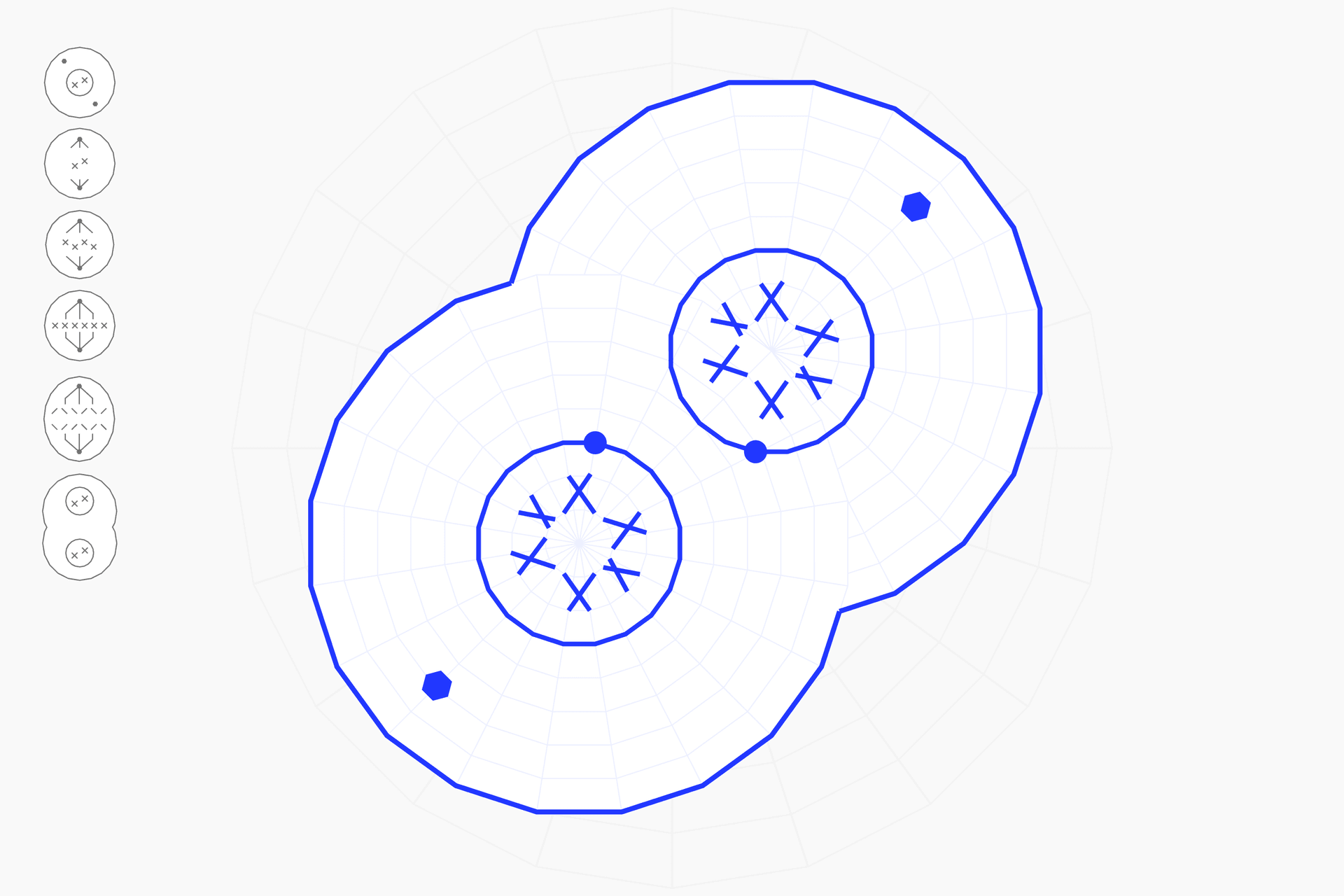
Some of the landing cells are rotated by hand, and Figma bakes that rotation into the exported path data. The artwork that appears on hover therefore has to be turned to match, or it snaps upright the instant you point at it.
My first pass measured the angle between the plain navigation mark and the landing art, then applied it to the hover artwork. That is a different family of asset, and I had assumed the two shared a canonical orientation. They do not. Telophase is where it showed: hovering it visibly snapped.
Re-solving it meant scoring against the artwork that actually gets rotated, and re-fitting the size at every candidate angle so a bad size could not disqualify a good one. Telophase came back 0.963 at 135 degrees against 0.863 at the 119 I had shipped. Anaphase gave 0.966 at 225 and 0.970 at 46, which is the same picture twice: a two-pole cell is symmetric under a half turn, so those four thousandths are noise and I left it alone.
The second mistake was worse, because it looked finished. I had fitted the hover artwork and the resting mark to the same size by matching their silhouettes, and the match was genuinely good. The target was wrong. The original grows the cell on hover, and I had spent a session carefully making it not do that.
The only thing that knew was the original recording, which does not give up its frames easily. Seeking in headless Chromium returned the same frame twelve times, byte for byte. Playing it and sampling through requestVideoFrameCallback gives frames that actually differ. Telophase rests at 196 pixels and its hover loop runs 296, 321, 337, 354, so it enters hover at 1.51x. Interphase and early prophase independently gave 1.48x. One uniform 1.5x, not a value per stage.
03 · A legend is not a second column of text
Two things were wrong with this screen and both of them were mine.
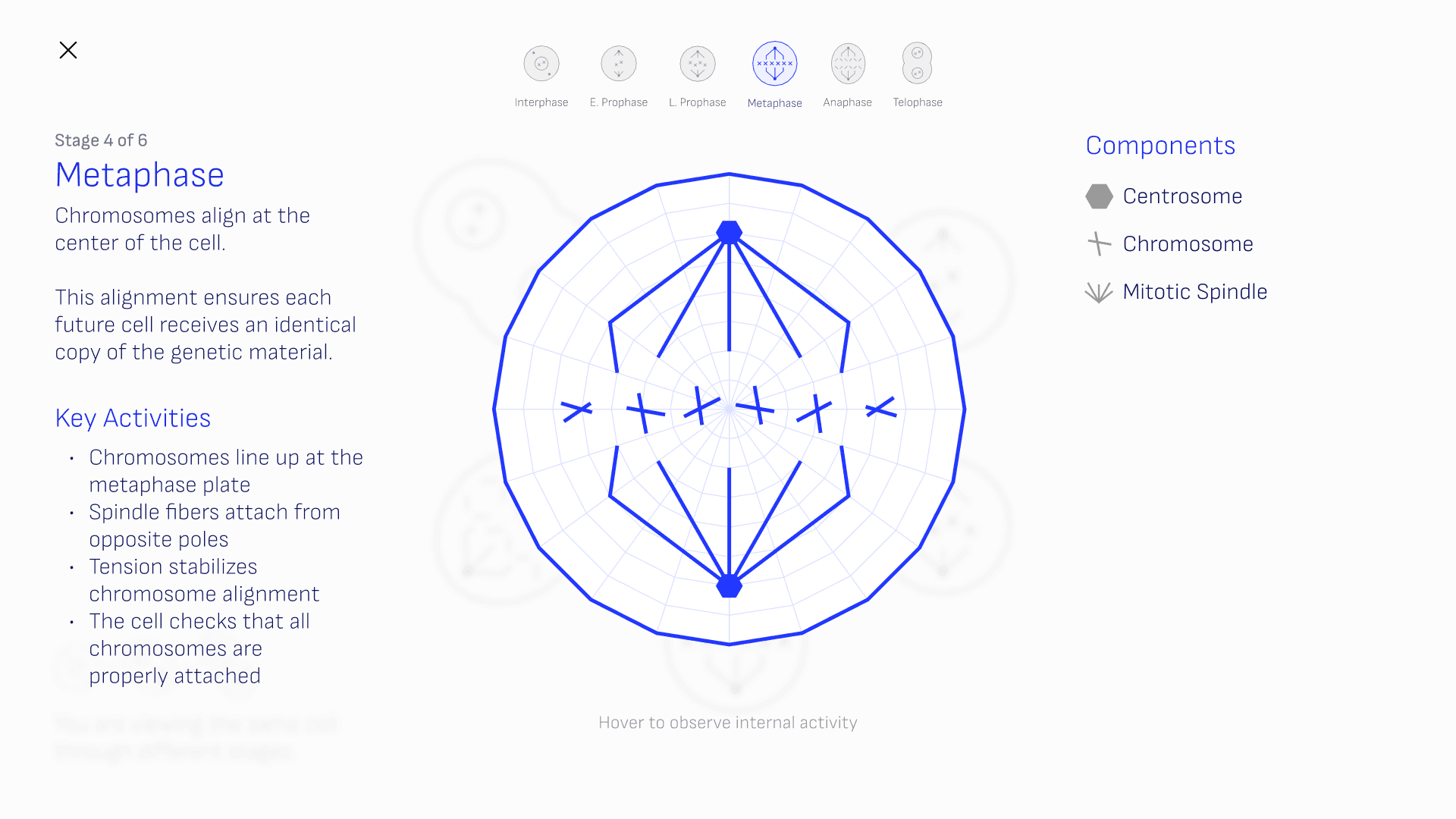
The right-hand column shares a top edge with the left one, which sounds like alignment and behaves like a mismatch. The left column carries a title, a lead, a body paragraph and four activities, and runs 406 pixels tall. The right column carries three items, and runs 135. Sharing a top edge just makes the difference the subject, and leaves around 270 pixels of visibly dead column underneath.
It is a key to the diagram, so it belongs to the diagram. It is centred on the cell's own box now, and reads as an annotation of the thing it annotates rather than as a text column that ran out of things to say.
The navigation marks were a measurement problem rather than a taste one. Each one is drawn well inside its own export frame, filling between 60 and 67 per cent of its viewBox, and the frames are not even the same shape: interphase's is 184 square, telophase's is 202 by 285. Fitted into one 42 pixel disc, that rendered the six at six different sizes, from 25.2 pixels up to 29.4. Tightening each viewBox to its own ink and squaring it puts all six on one scale at about 38.5 pixels, and they stopped reading as six versions of the same smudge.
04 · The background is blurred, not dim
When a stage opens, the landing stays mounted behind it rather than being replaced, so the other five cells are still there, softened. The obvious reading is that it has been dimmed.
It has not, and the difference is measurable. Across a strip of pure background artwork the original spreads its ink over about three and a half times as many pixels, while the median pixel sits at roughly a quarter of the darkness.
That distribution is the whole tell. Blur moves ink around without losing any of it, while opacity dims every pixel in place. So the shape of the histogram, rather than any single number, says which knob was turned, and it was blur.
I fitted the radius by sweeping it against the reference's percentiles. At two pixels the median and the ninetieth percentile land on the reference's four and six exactly, and the fit holds on a second reference frame I had not fitted against.
Reflection
This started because I was sick of exporting animations as GIFs. I wanted the six stages to actually run, not just loop. Rebuilding it a few months after making it for class turned into something else too: a check on how much I've improved, how much the tools have improved, and how fast I can now carry a design into working code.
Most of what I got wrong here came from fitting carefully to the wrong target: a rotation solved against the wrong asset, a hover scale matched to the wrong pair of shapes, an animation confirmed by a counter that kept counting while the picture sat still. Each one produced a confident, checkable, wrong answer. Two of them I corrected by measuring the thing itself, and the animation by opening it and watching, which took about ten seconds against the two sessions of checks that had all passed.
The layout was the opposite problem. The clock was right from the start and simply had no way of saying so. The numbers I added to say it were a fourth wrong answer, this time about my own fix.