

TOROCIMA
Brand Identity + Mobile App
Spring 2023
Josué Avalos Jiménez
Nick Ciraolo
Alex Jackan
Overview
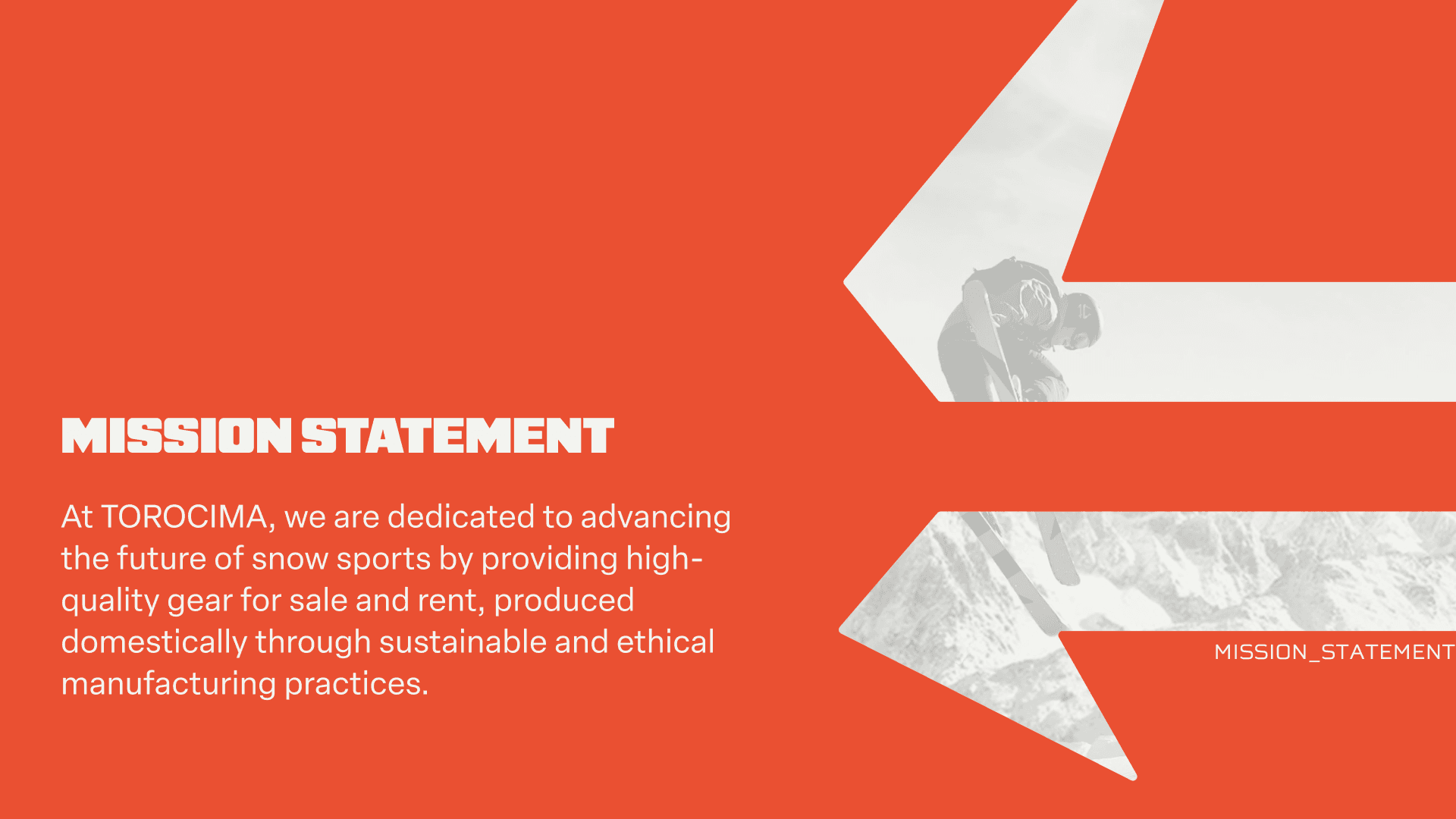
Torocima is a third-party snow sports rental company built for newcomers, part-timers, and people with physical disabilities, designed to cut hours of in-person renting down to minutes. This was my sophomore capstone at NC State GXD, a team project. The brand identity and product design system were mine; research and prototyping we did together. The result runs from a mythology-rooted logo system to a 17-icon custom set and a complete mobile app prototype.
01 · The Name
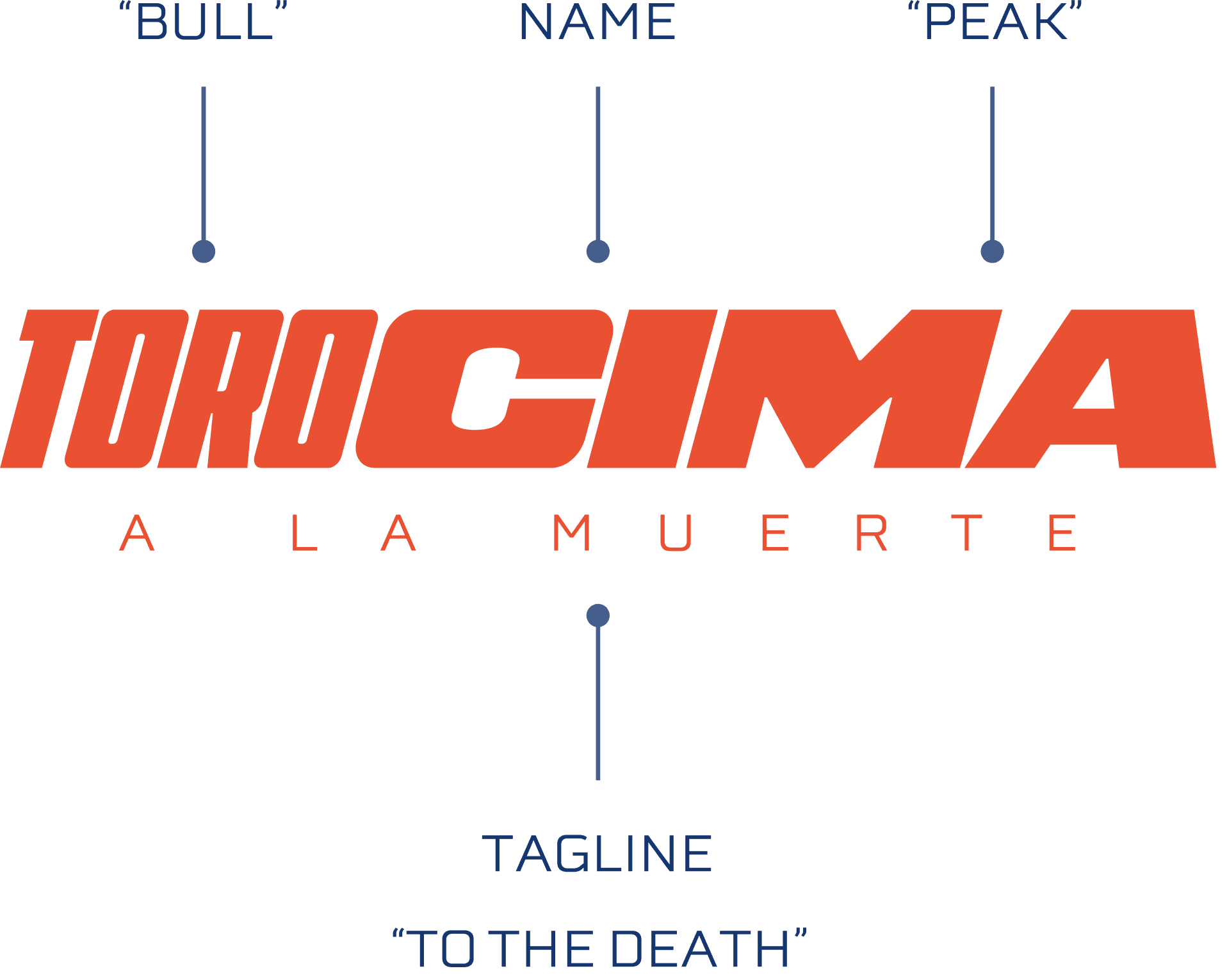
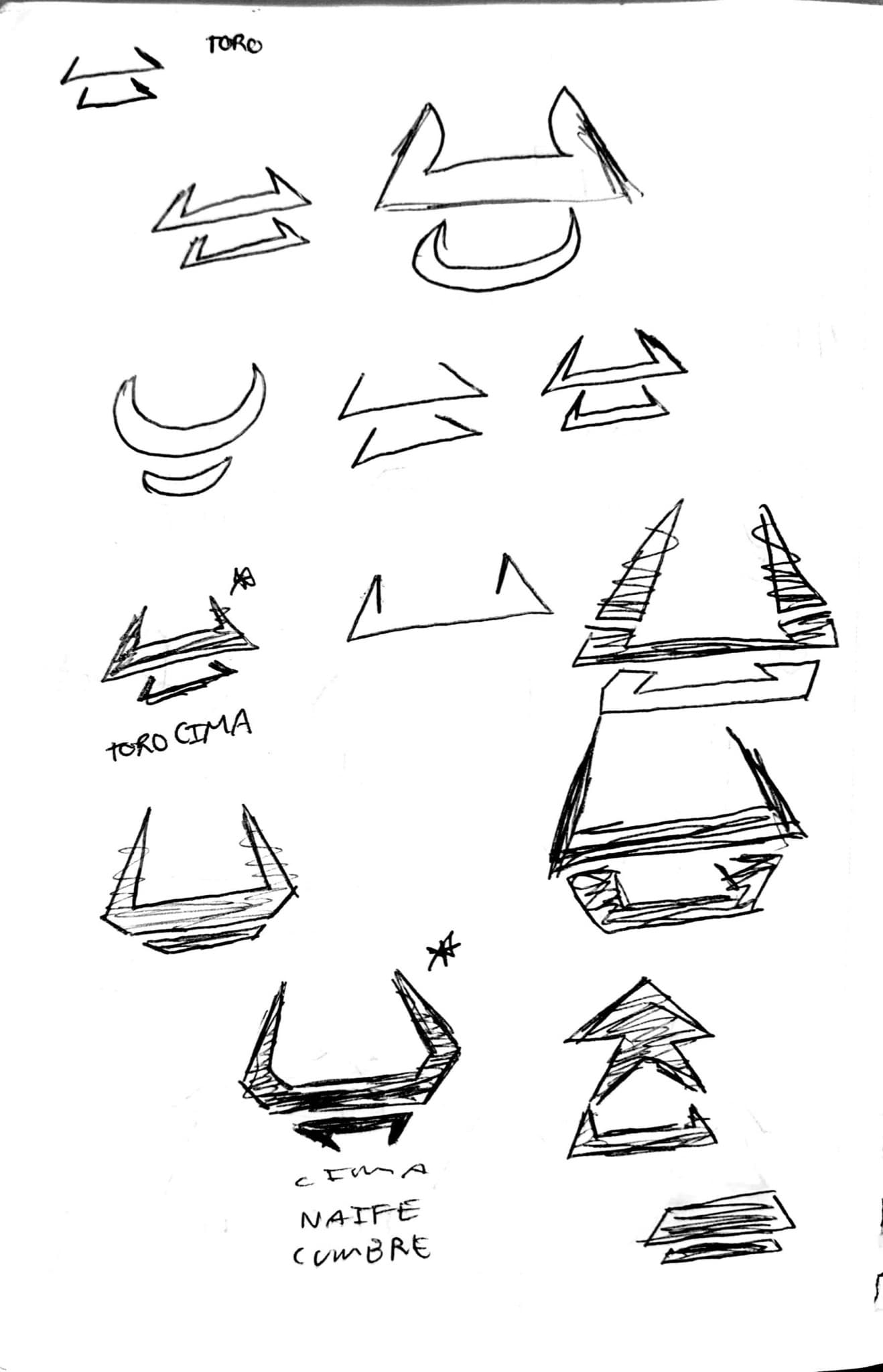
The name comes from two Spanish words: Toro (bull) and Cima (peak). Together they reference the Camahueto, a bull-unicorn creature from Chilote mythology in southern Chile. We set the company in Chile intentionally, drawn to the culture and the Andes as a landscape. The tagline (A La Muerte, "To the Death") leans into the extreme sports tradition while the brand takes itself seriously underneath it. We wanted Torocima to feel like it could stand next to any legitimate outdoor brand.
02 · Identity System
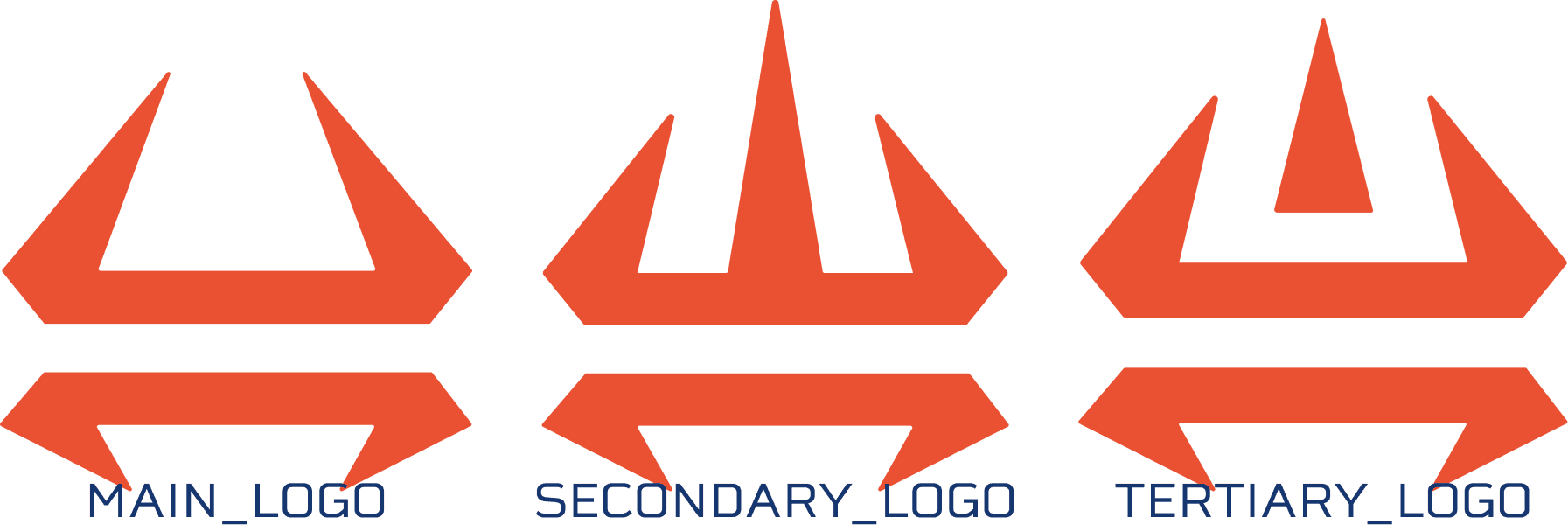
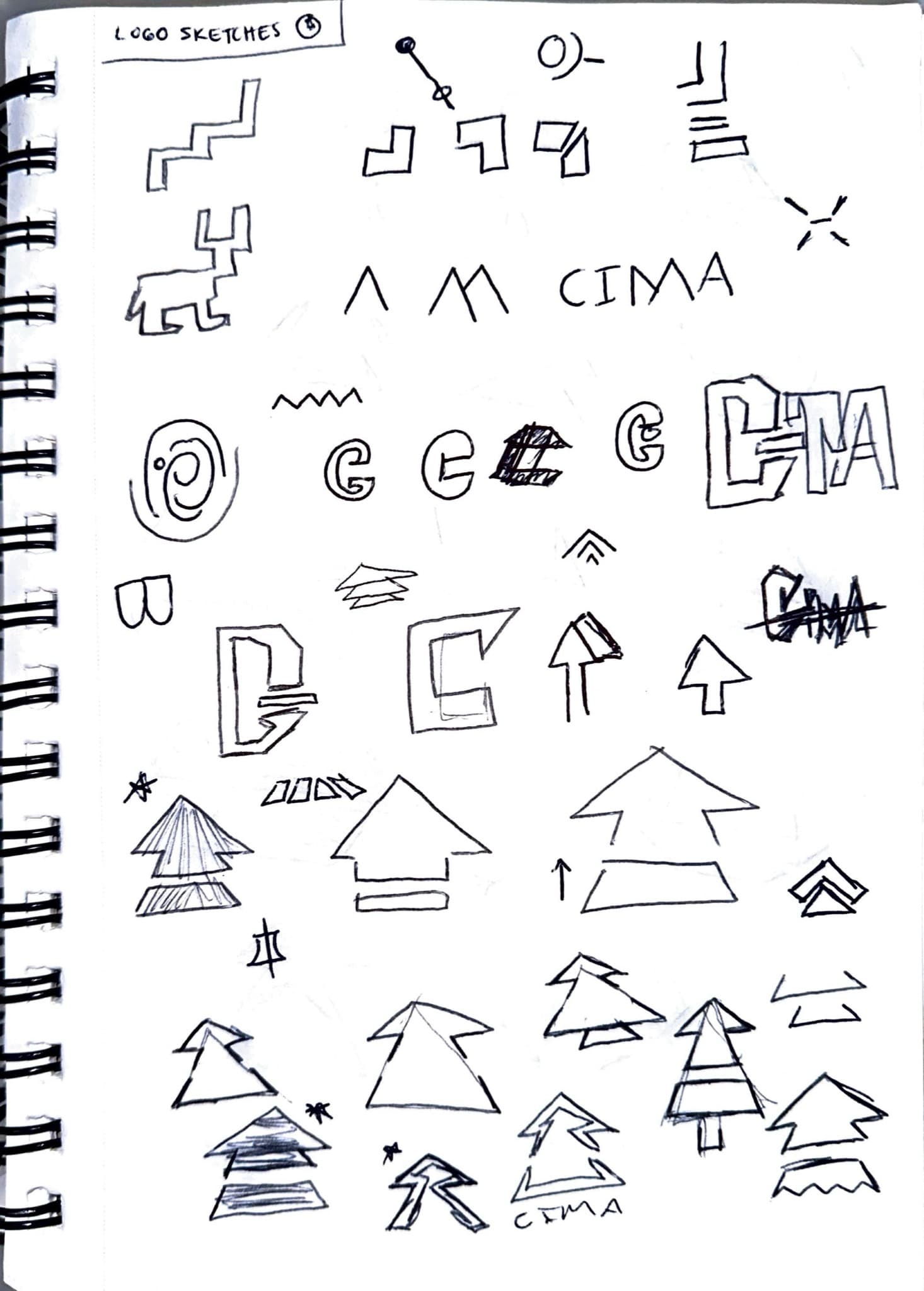
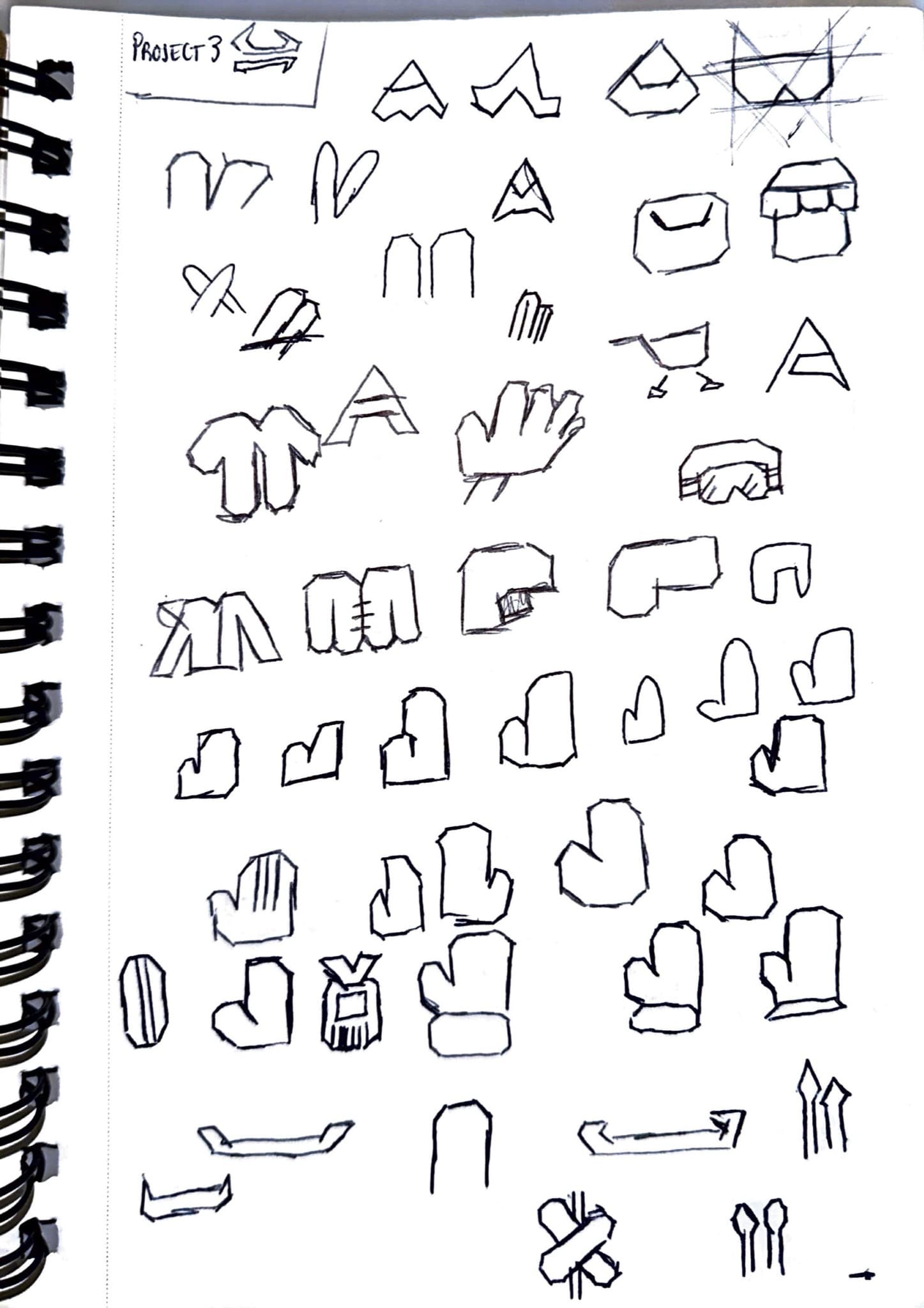
The mark came out of pages of sketches about mountains, peaks, and sharpness, an almost funny amount of sharpness. The sketch pages still carry the names that lost: Naipe and Cumbre both felt too basic, and Torocima was the one that stayed playful. What survived the sketching is the Camahueto's horns abstracted into a geometric icon that doubles as a mountain silhouette, in three variations on the same angular cut-edge language. That geometry became the DNA for everything that followed: the icon set, UI components, and the pattern system from tiling the marks.
03 · Color
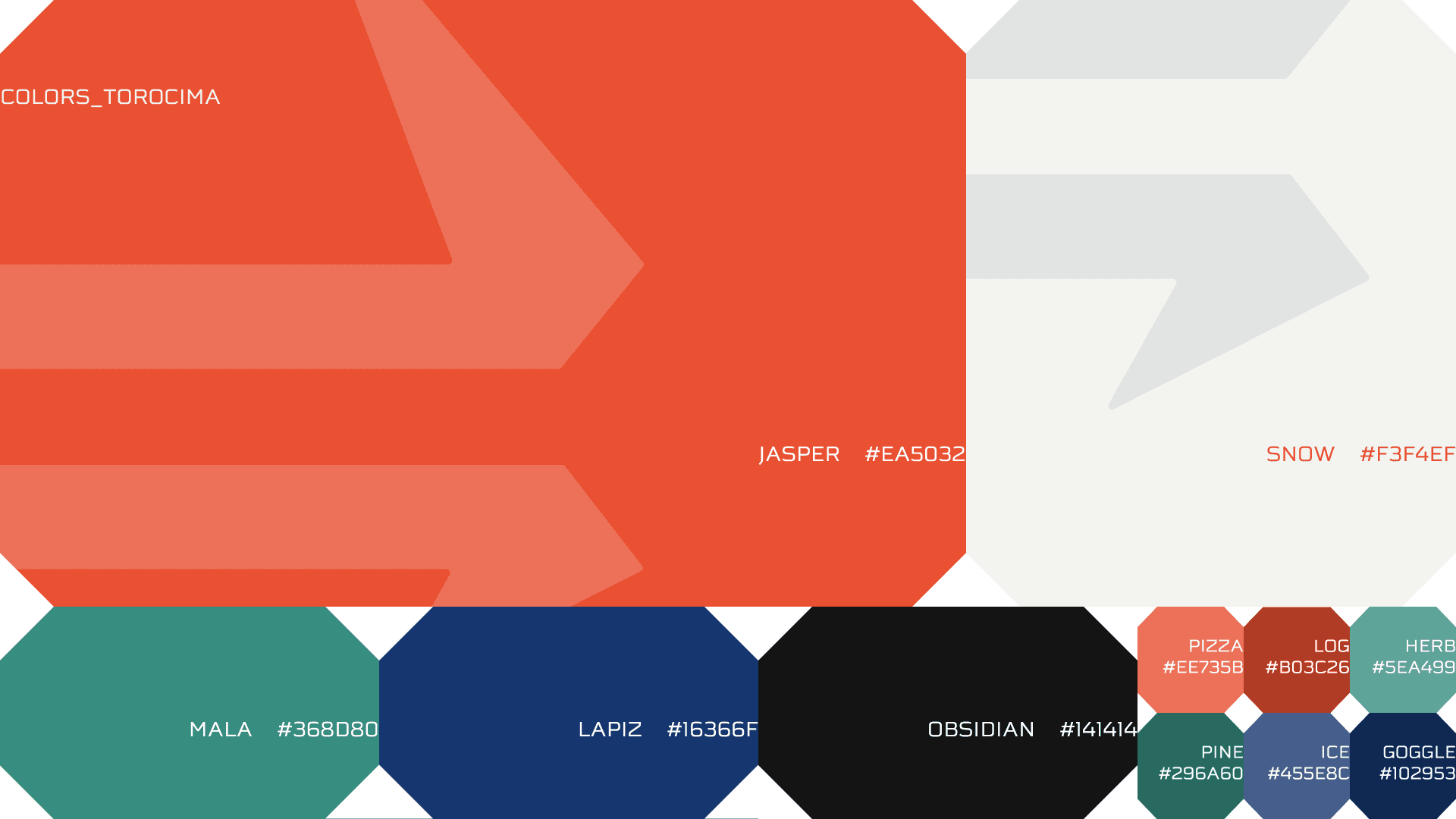
The palette came from research into the mineral ores actually found in the Chilean Andes, with a dodge built in: it couldn't read like the outdoor brands already on the shelf. Each color is named for its source: Jasper (our primary Torocima red) anchors the brand, supported by Snow, Mala, Lapiz, and Obsidian as the core system. Secondary colors (Pine, Ice, Goggle, Pizza, Log, Herb) extend the palette for UI states, accessibility indicators, and product categories. A few of the names are jokes we snuck in: Pizza is there because it looks like pizza, and pizza is how you slow down on skis. Jasper is used sparingly in the UI, reserved for moments of action and emphasis, which makes it hit harder when it appears.
04 · Typography
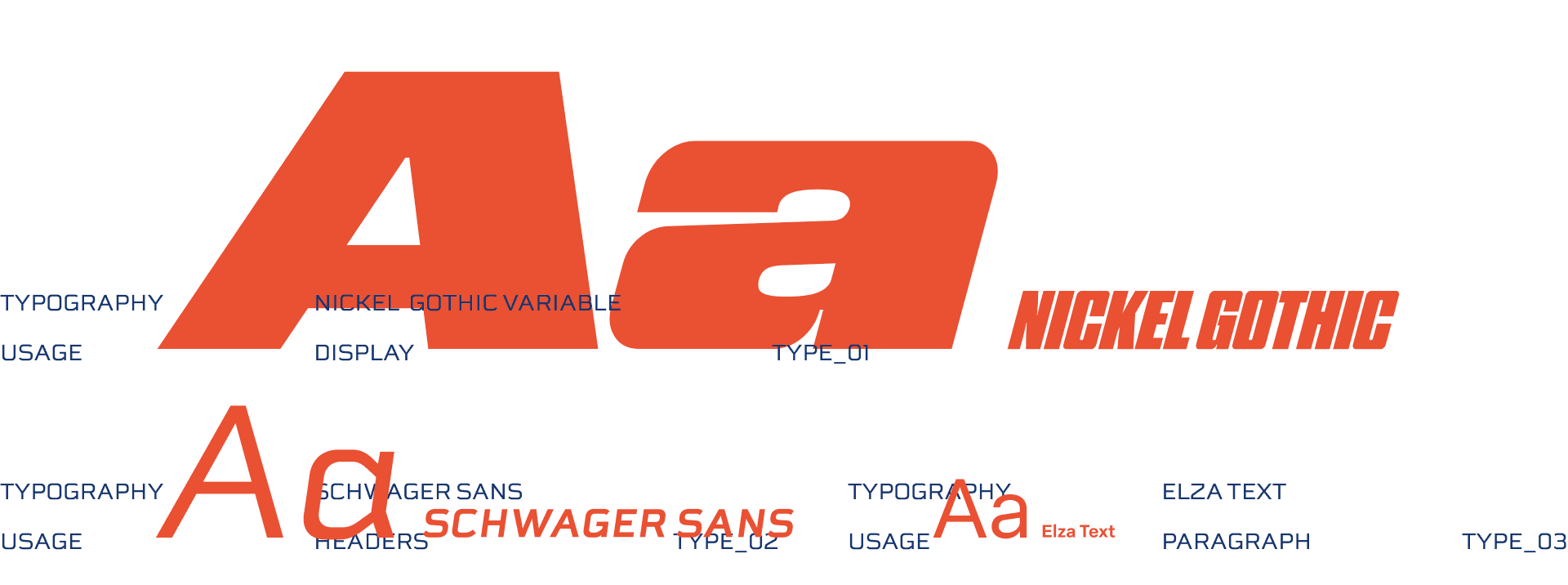
Three typefaces, three distinct roles. Nickel Gothic Variable handles all display and brand-level type; its condensed weight and aggressive italics carry the energy of the mark. Schwager Sans steps in for headers across the UI, bridging between brand and product. Elza Text handles body copy, keeping the reading experience clean and accessible at small sizes. The display font was deliberately kept out of the mobile app; it reads beautifully large but loses legibility at UI scale. We wanted to prioritize usability and accessibility while still pulling from our bold style.
05 · Iconography
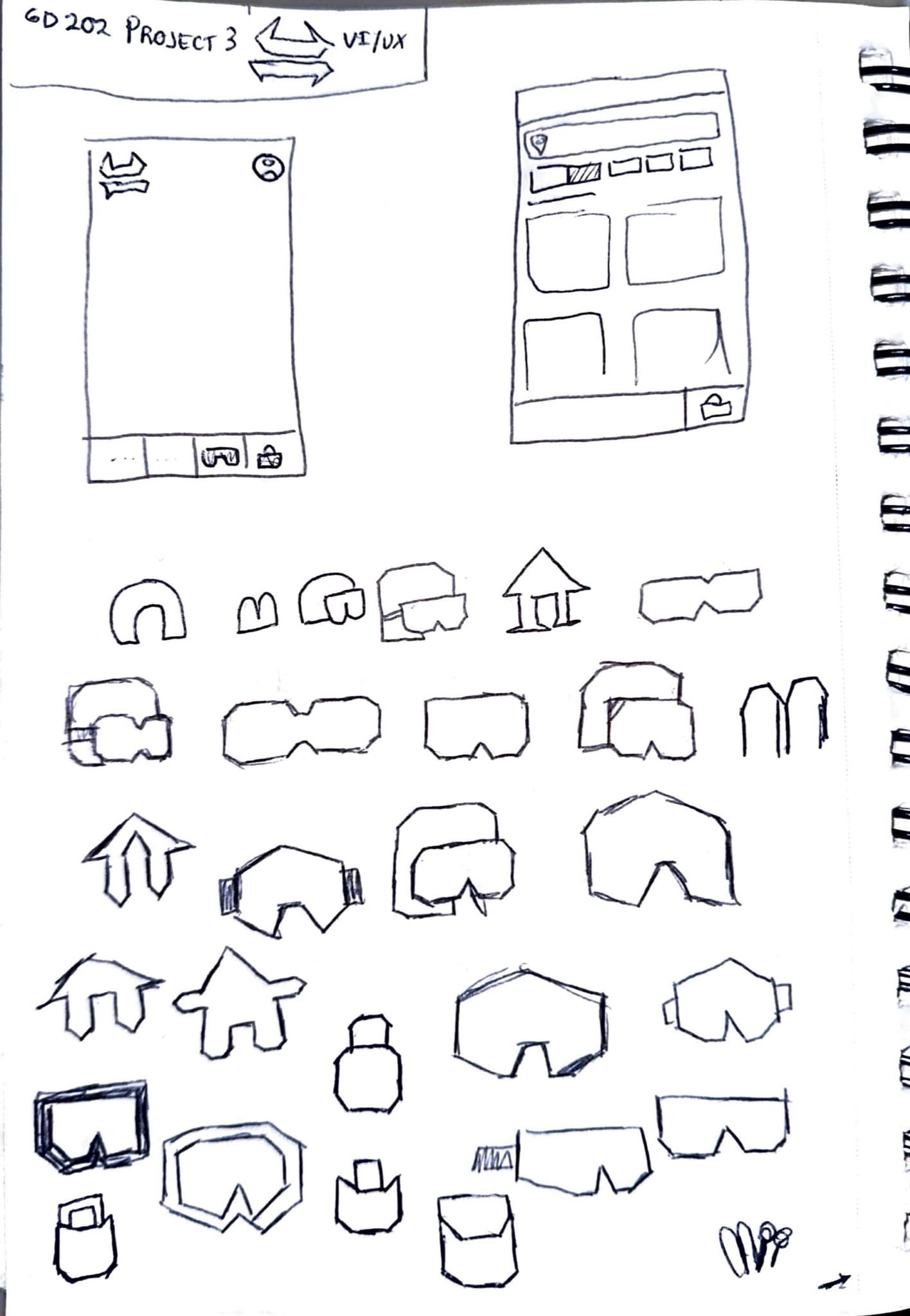
The 17 icons were drawn as the product needed them, not as a set. Once we started laying out pages and features, I'd figure out which icons each screen called for, and new needs kept surfacing that I hadn't thought about, lockers and boxes among them. Every one had to keep the logo's geometry alive, so most started as sketches before touching a screen. Each icon has a filled and an outline state for selected and unselected UI conditions. We liked the goggles and helmet icons enough that they, with some of my other sketches, set the reference the rest were drawn against.

06 · Research
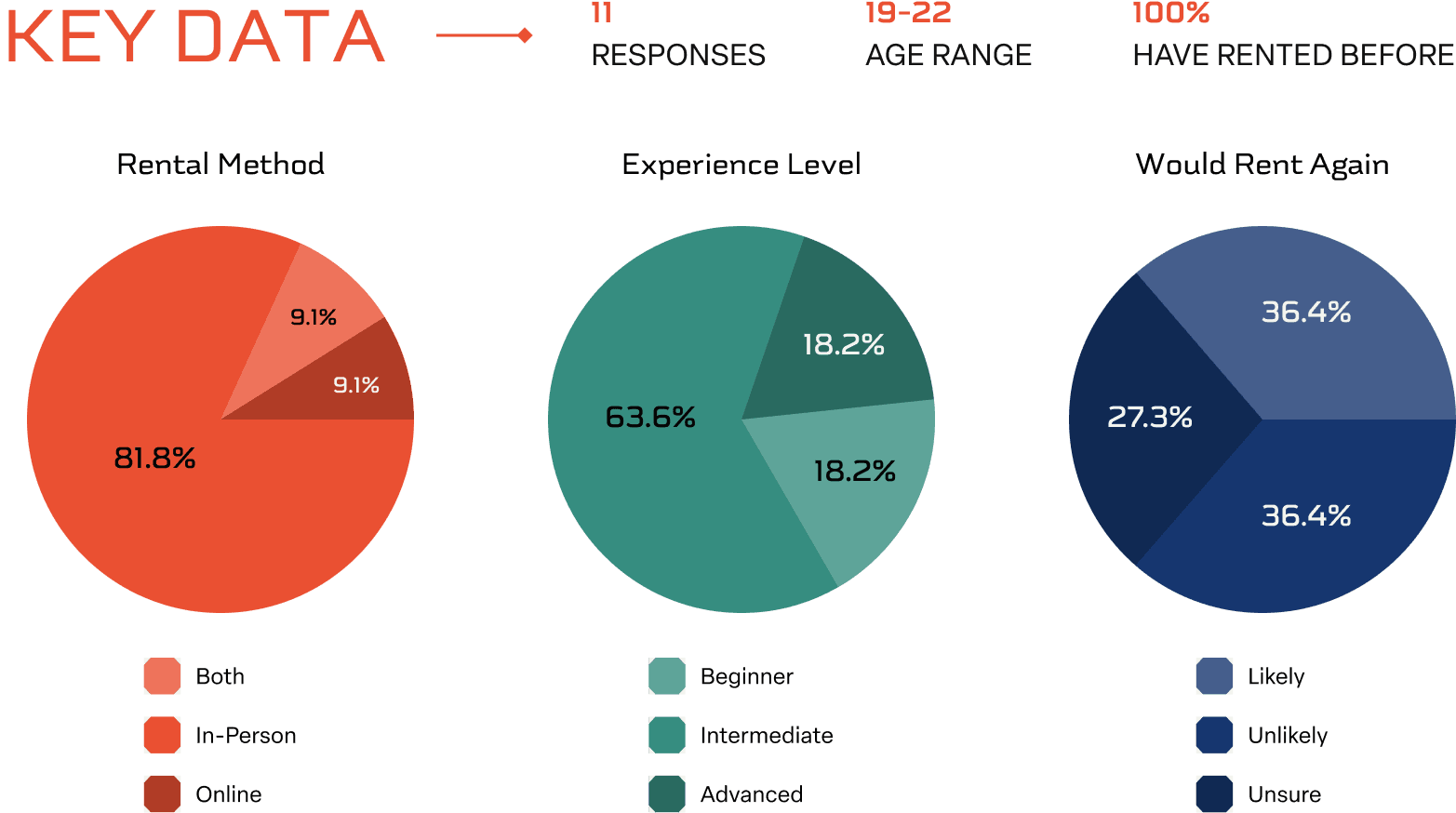
Our design challenge: "How might the design of a snow sports company's mobile app help people with physical limitations rent equipment more easily?" We started with user surveys, learning that the majority of potential customers were new to snow sports and 81% had rented in-person, but only 36% said they'd likely rent again. Long lines and complicated paperwork were consistent pain points.
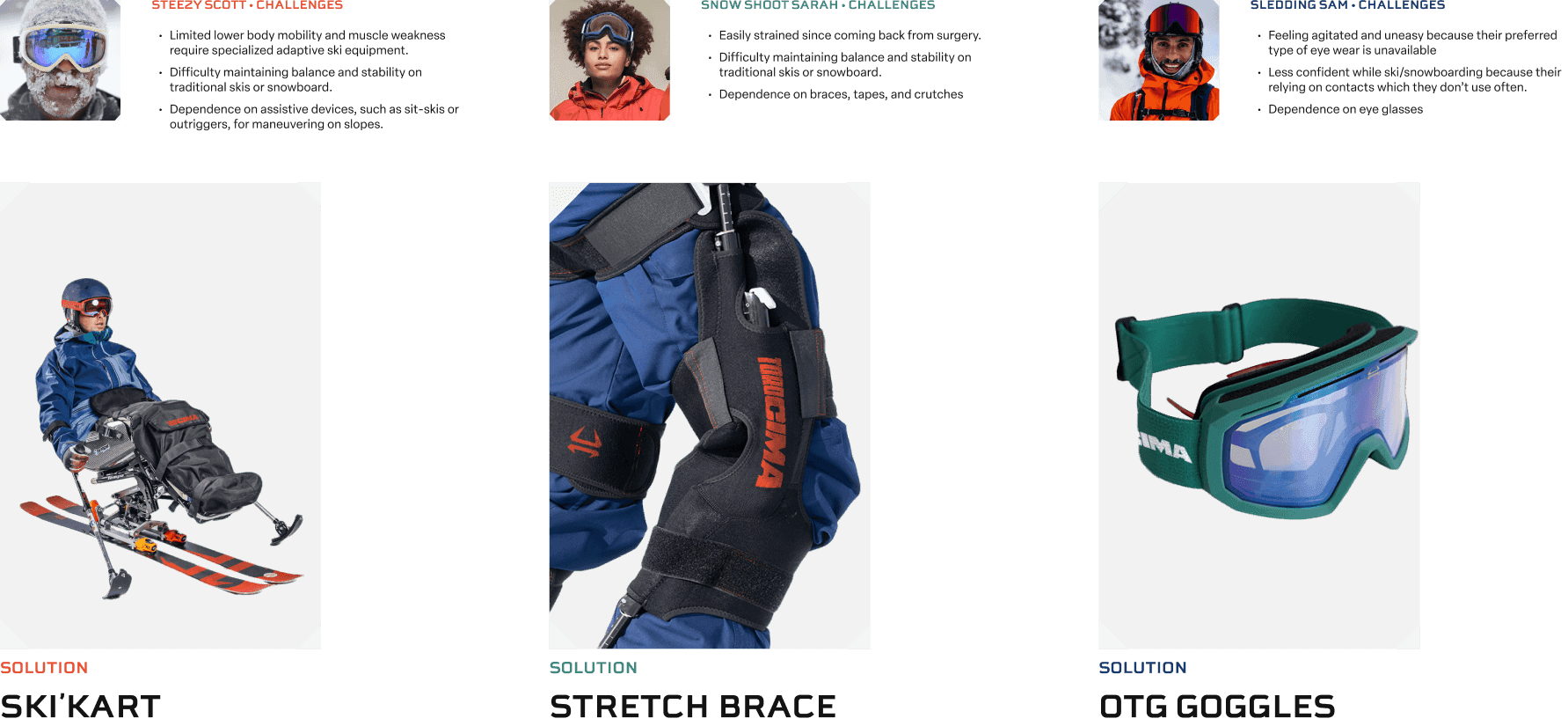
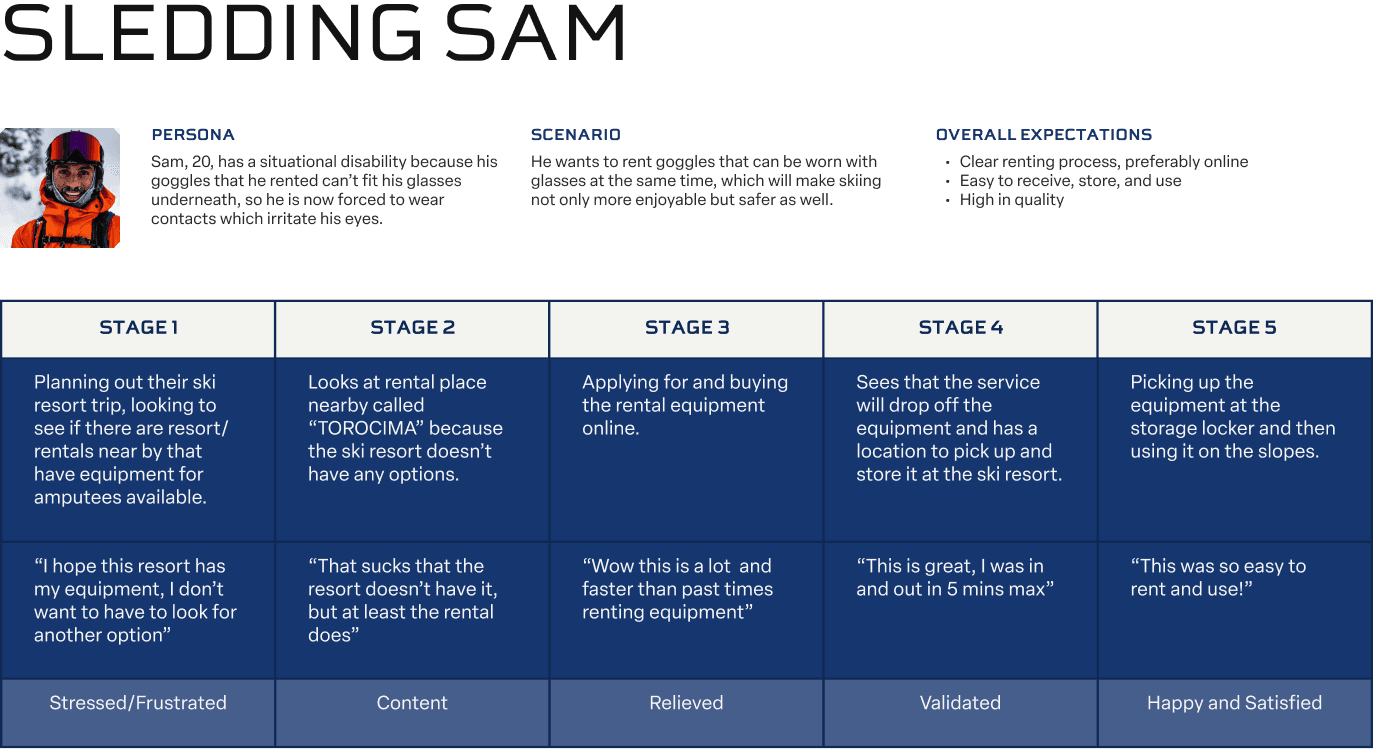
We used a Persona Spectrum to map physical limitations to specific equipment solutions: a Ski-KART for mobility constraints, a knee brace, and OTG (over-the-glasses) goggles. User journeys mapped the emotional arc of renting from each persona's perspective, surfacing weak points in the current process.
07 · Product
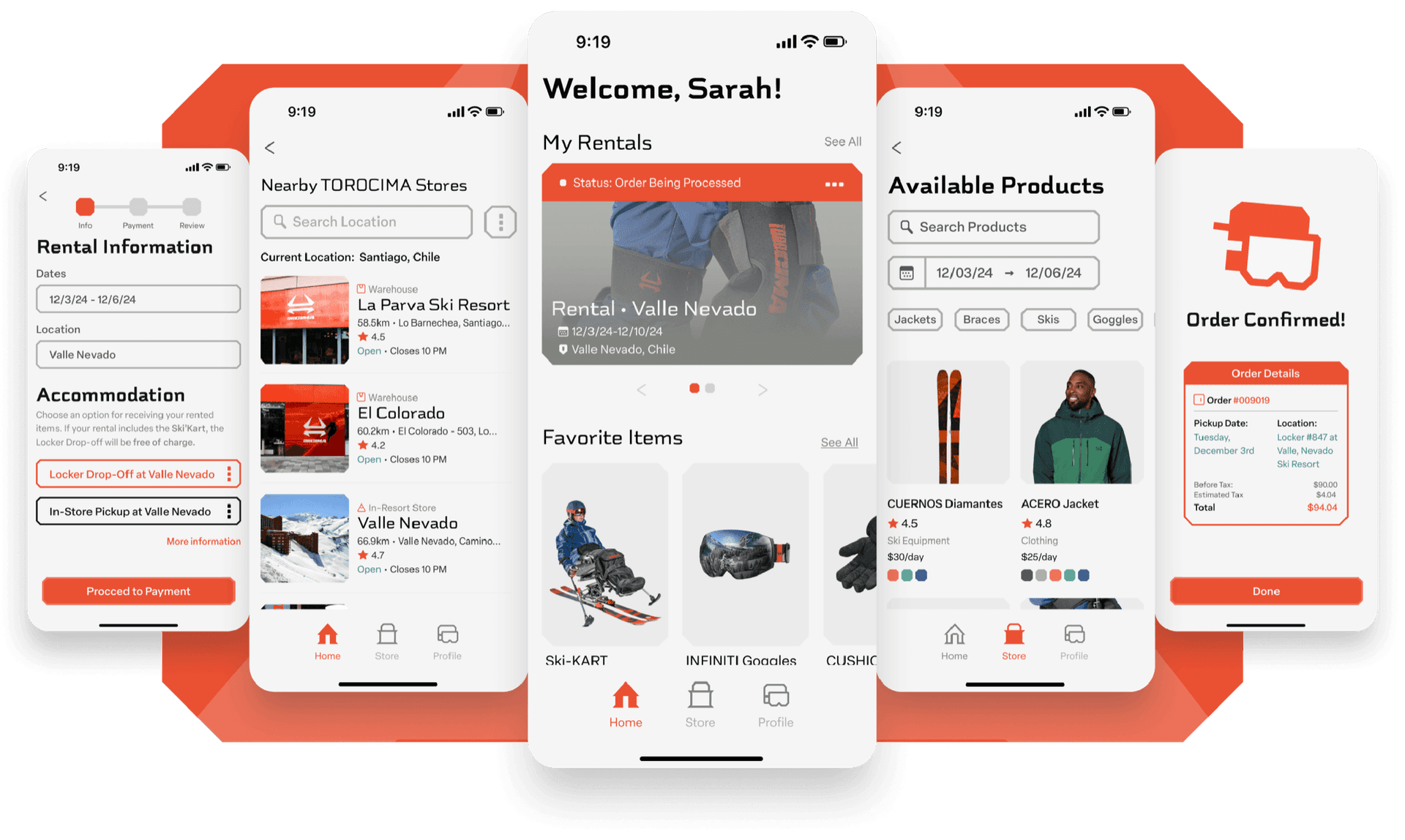
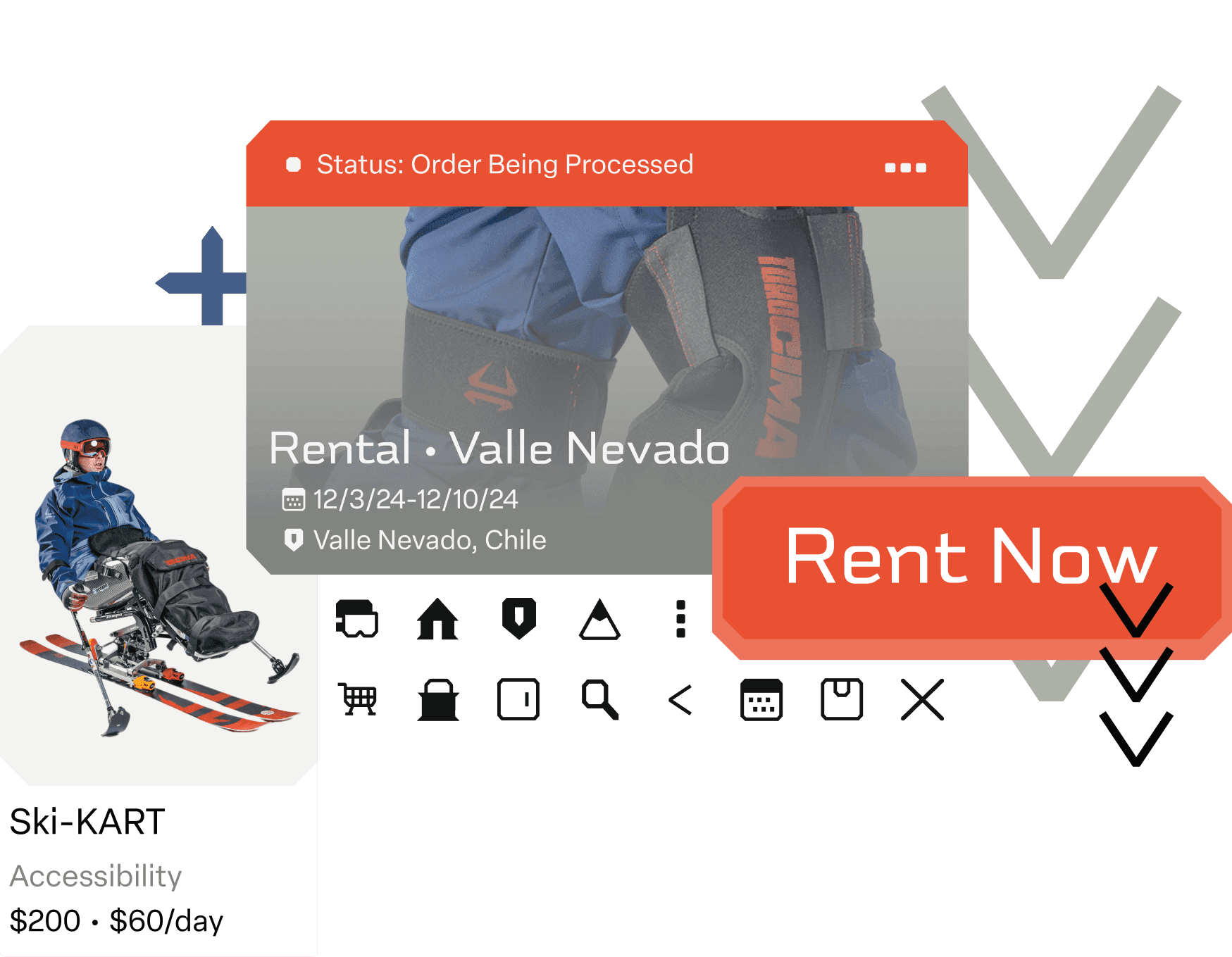
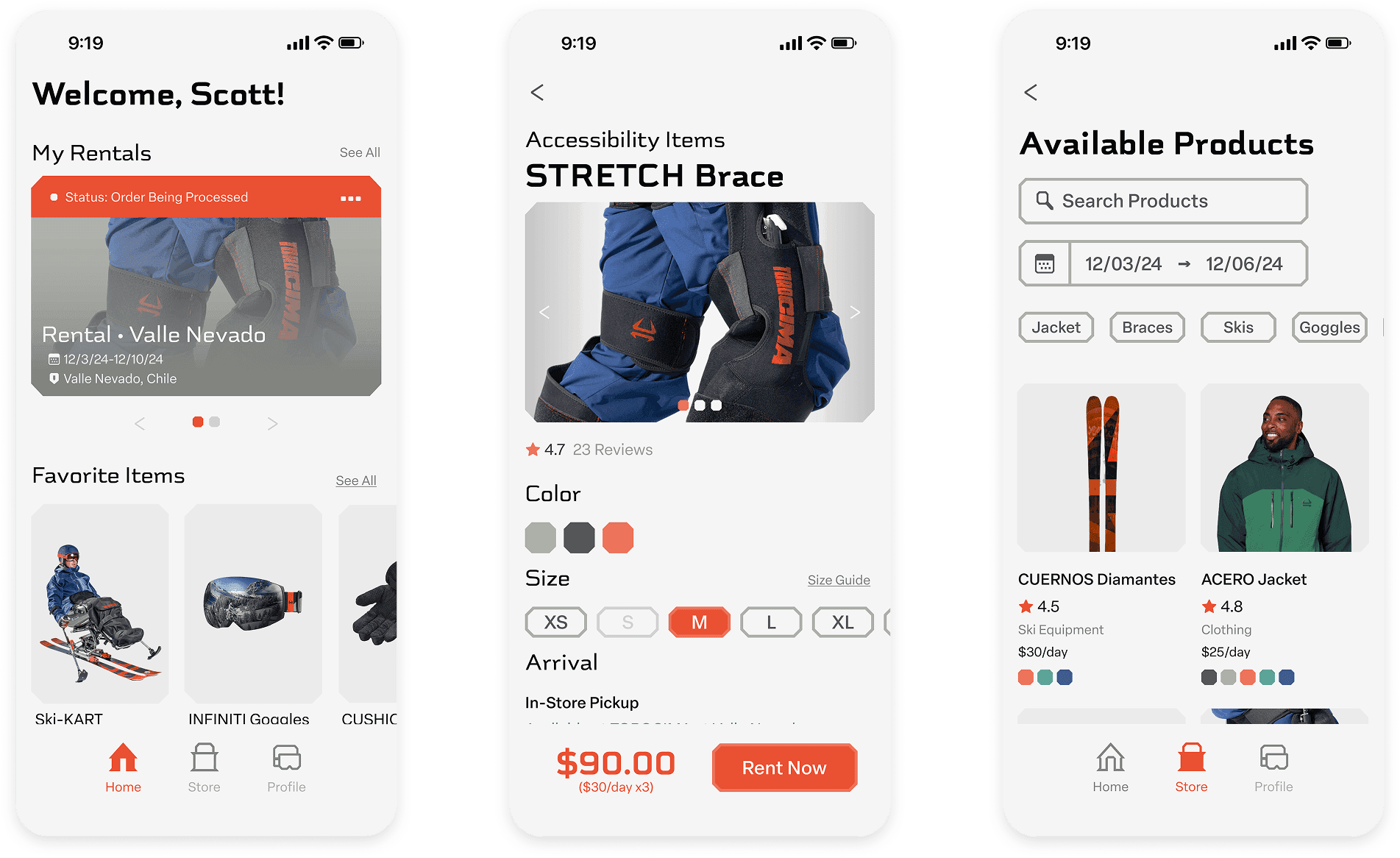
The app streamlines the rental process into three steps: choose a store location, set rental dates, and select products. The design system I worked on (25+ components, 54 component variables) ensured the brand translated consistently into every UI state. The Ski-KART accessibility flow became a centrepiece feature: users with mobility constraints can opt into free locker delivery at their resort, a feature that was later extended to all users.
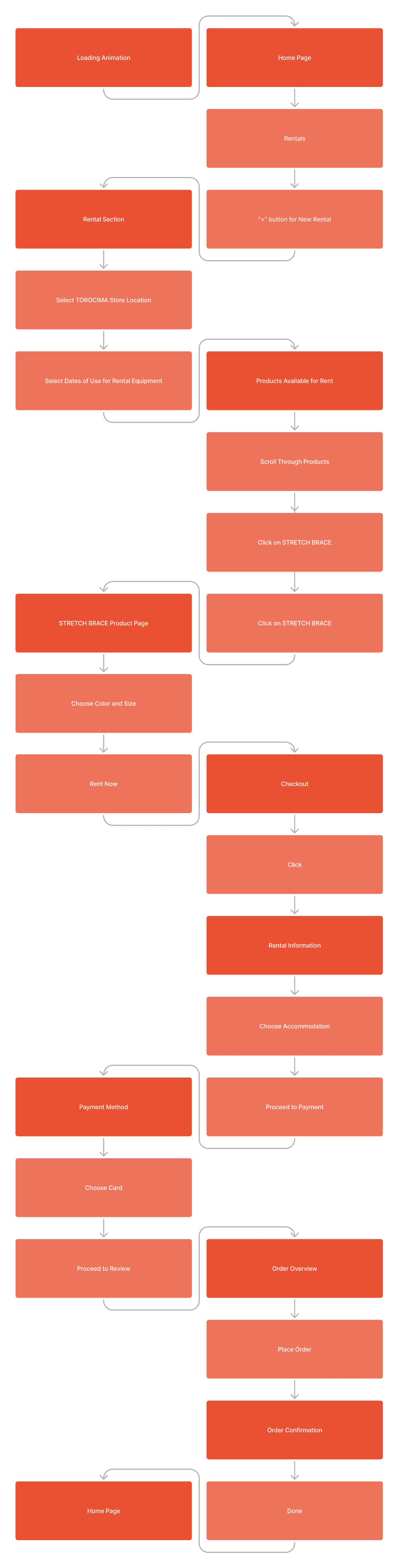
Those three steps are the middle of a longer path. The full rental flow runs from the loading animation to order confirmation, and the two shapes in it are the point: the darker boxes are screens, the lighter ones are what the user does, so every screen is earned by an action rather than assumed.
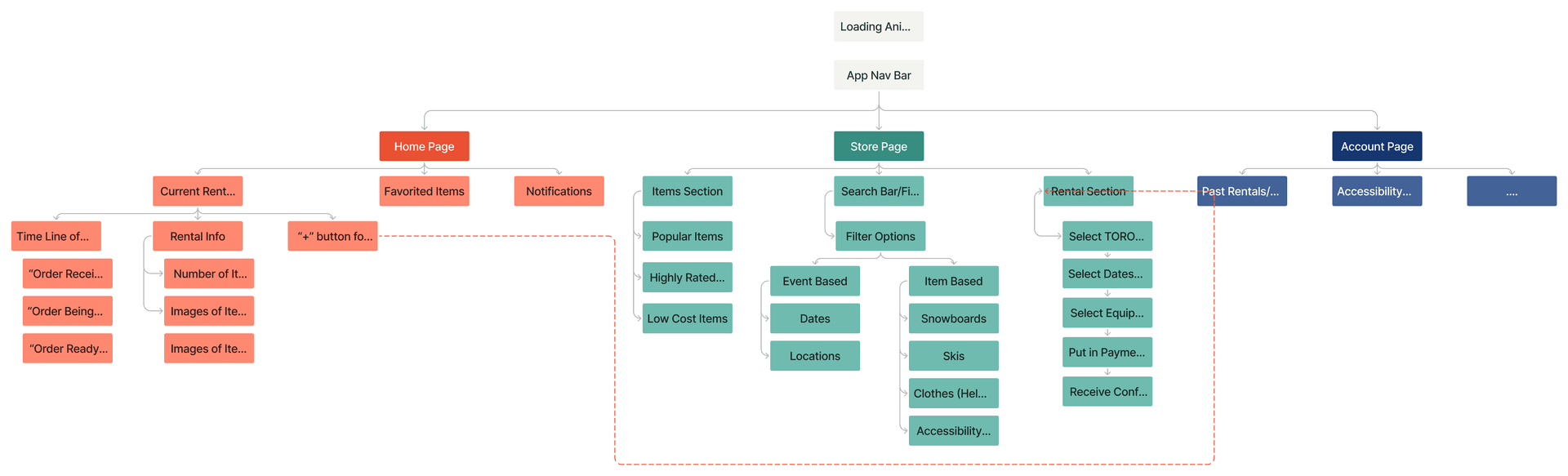
The architecture underneath it splits three ways: Home for what you are already renting, Store for finding equipment, Account for everything after. Accessibility sits as a filter inside the store rather than as a separate path, which is the decision the Ski-KART feature rests on.
After testing with five users, we learned that emphasizing the product image in the rental confirmation ticket performed better than showing the store photo, that adding text to action buttons reduced confusion, and that a checkout timeline significantly increased user confidence during purchase.
Reflection
The fun decisions came fast, on instinct. Most of the actual time went into arguing about restraint: how much of the brand's angular, mythology-heavy energy could survive the jump into a real product screen before it stopped being usable. Brand and product don't translate 1:1 in either direction, even on a project with no real users on the other end of it. What actually stuck: doing that with Nick and Alex, two of the most talented people I know, and ending up with something the three of us are still proud enough to show off.